
BlogCountdown timers
Countdown timers in email
A countdown is an image your ESP loads when the email opens, drawn for that moment. Here is how to add one, which kind to use, what each inbox shows, and the setup steps for 13 email platforms.
Read them in this order
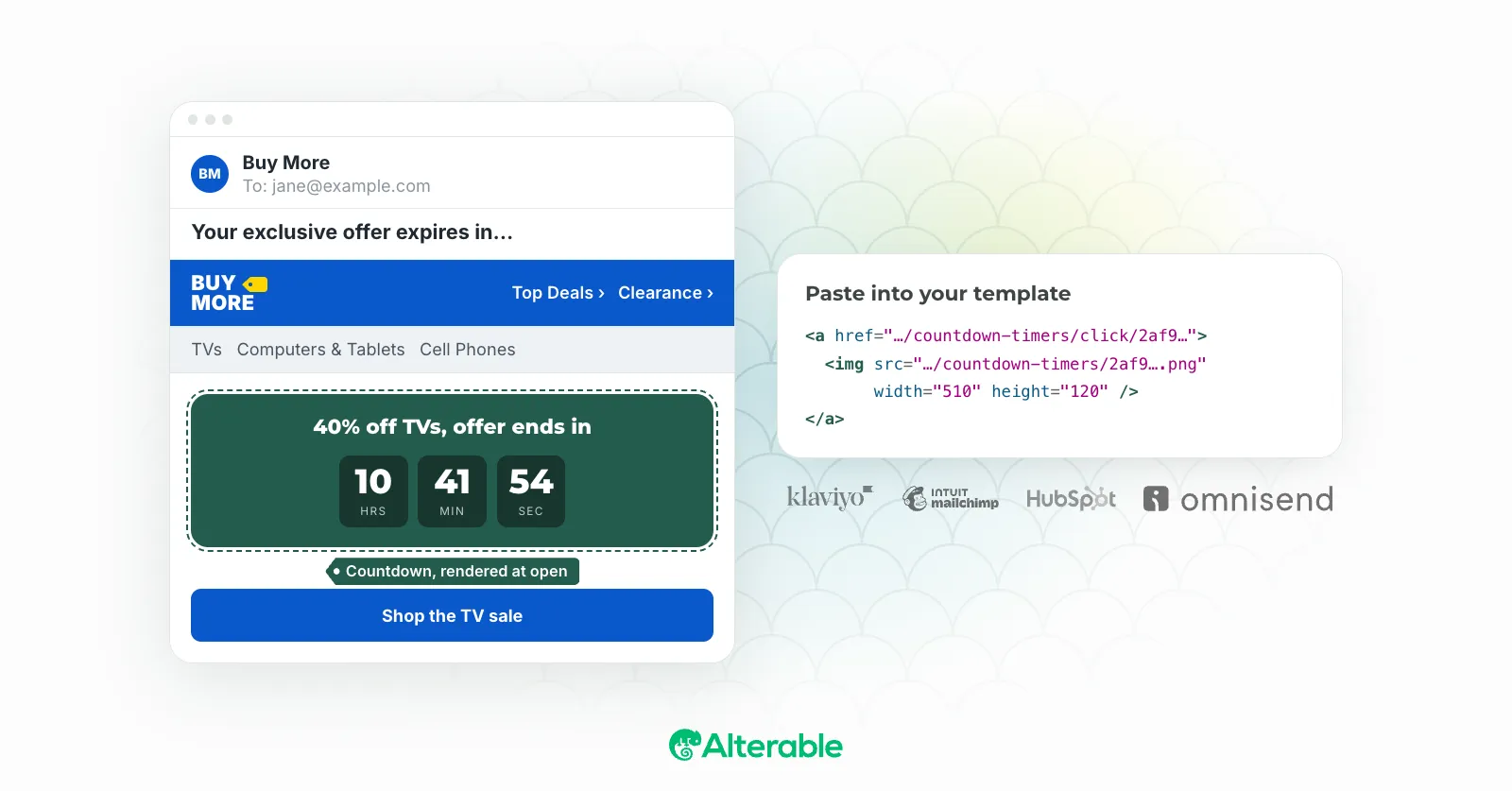
How to add a countdown timer to your email (complete guide)
The whole setup, from picking a timer type to pasting the image tag.
7 min read
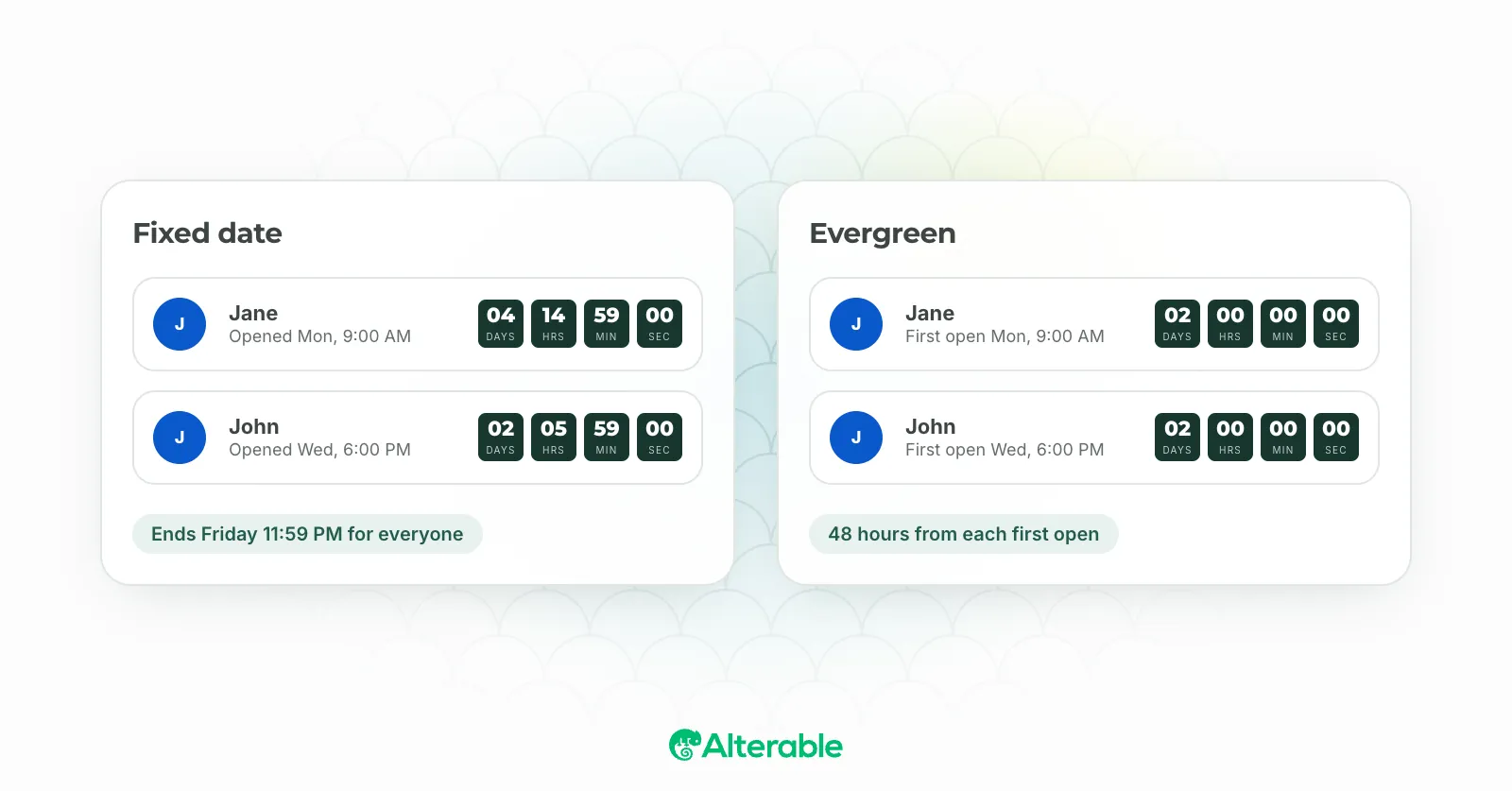
Evergreen vs. fixed date email countdown timers: key differences explained
One deadline for everyone, or one per subscriber: when each fits.
6 min read
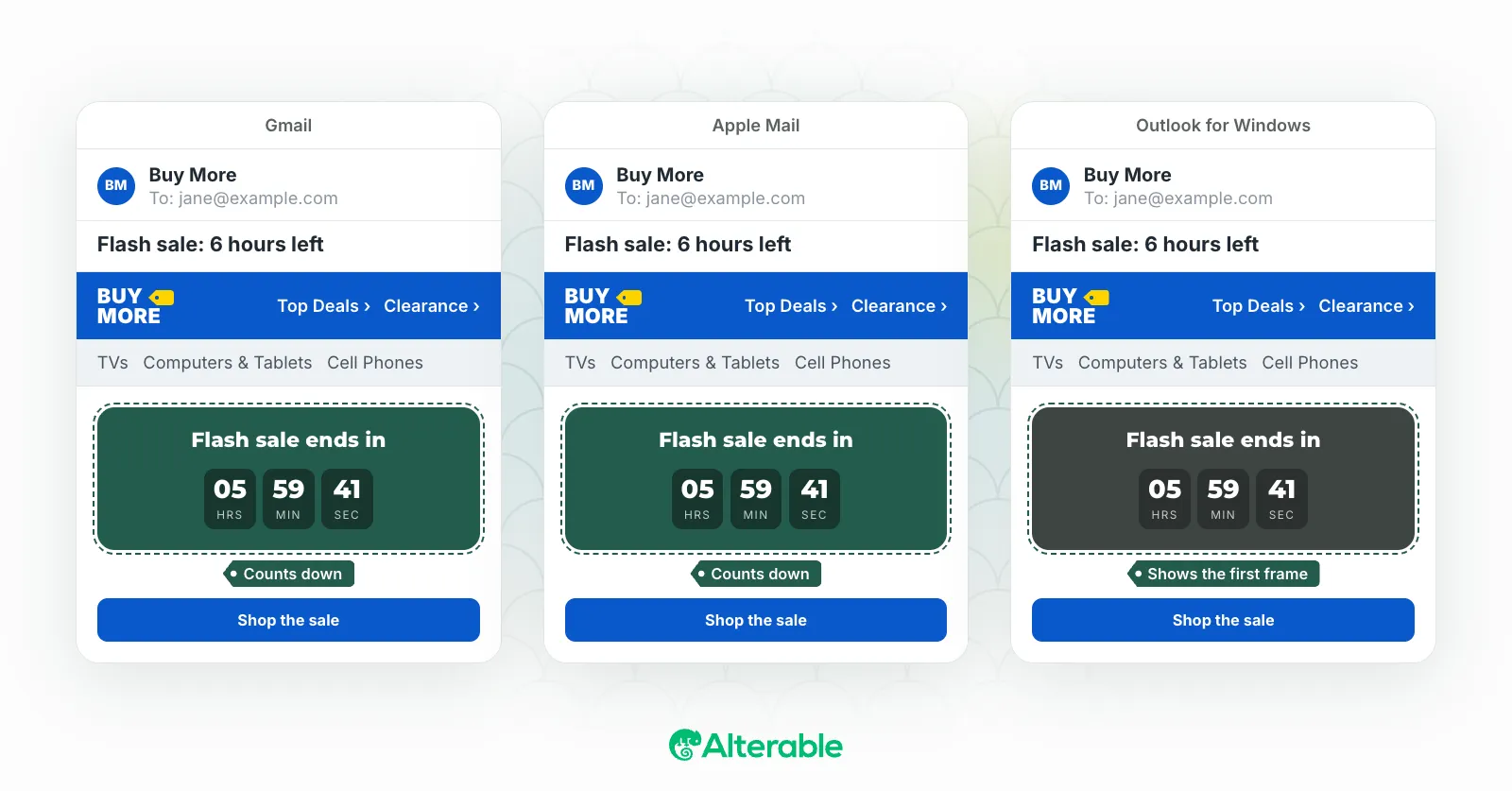
Email countdown timer compatibility with Gmail and Outlook: what to expect
What Gmail, Apple Mail and desktop Outlook each show.
7 min read

Best free email countdown timer services in 2026 (honest review)
The free tiers compared, including where ours falls short.
10 min read
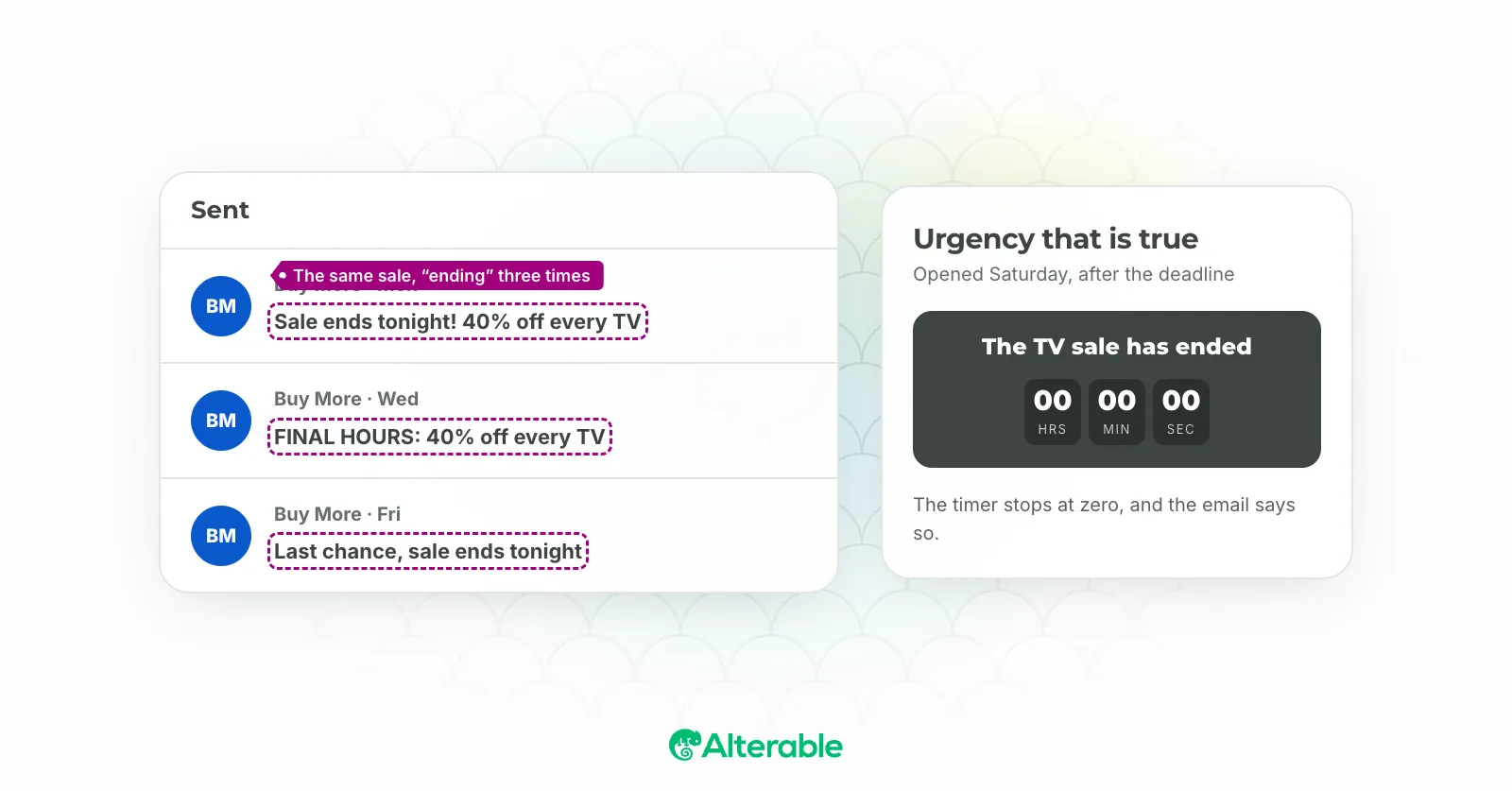
The false urgency email just got expensive
Why a deadline has to be real, and what fake ones now cost.
7 min read
Set it up in your ESP
Each guide walks through where the image tag goes in that platform's editor, step by step.
 Countdowns in ActiveCampaign
 Countdowns in AWeber
 Countdowns in Brevo
 Countdowns in Campaigner
 Countdowns in Constant Contact
 Countdowns in Drip
 Countdowns in GetResponse
 Countdowns in HubSpot
 Countdowns in Kit
 Countdowns in Klaviyo
 Countdowns in Mailchimp
 Countdowns in MailerLite
 Countdowns in Omnisend
Not listed? The timer is a plain image tag, so any ESP that lets you edit HTML can carry one. Thegeneral guidecovers it.
Build a countdown for your next campaign
Design it in the free generator and watch it count down. A free account gives you the embed code: 10,000 impressions a month, no watermark.
No trial, no time limit, no credit card.