
Show every subscriber exactly the right image
Put each subscriber’s name, points or city into the artwork, mark their dates on a calendar, chart their numbers, or switch images by weather, time of day or language. Drawn fresh the moment they open your email.
Free to start · No credit card · Works with Klaviyo, Mailchimp + more
We made this just for you
Hi Jane, here's what's new at Buy More this week.
Heatwave in Phoenix · 104°F
Stay cool, fans and purifiers from $49
Shop cooling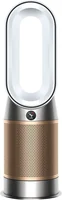
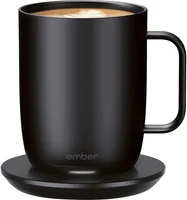
Picked for you when you opened this email. Offers change with the season.
A recreation. The real image is drawn fresh at each open.
Build the banner once, then add its versions
- 1
Design your image
Text, shapes, logos, photos, month calendars, charts and live counts, in the canvas editor.
- 2
Set your targeting rules
Weather, time, device, city or language picks the version each reader gets.
- 3
Embed and send
Your ESP fills in each reader’s merge tags as it sends; the image is drawn at every open.
Summer sun by day, a late‑night version after dark
Stack conditions in the rules builder and map each combination to its own version of the image. The reader’s weather, time and device are checked when the email opens.
- LocationCity, region, country from your ESP
- DeviceMobile, desktop, tablet, passed by your ESP
- Operating systemiOS, Android, Windows and more
- Language21 languages
- WeatherAt open, in the reader’s city
- Temperature°C / °F in the reader’s city
- Time of dayMorning, afternoon, evening
- TimezoneThe reader’s zone, from your ESP
- DateA day, a range, a season
- Day of weekWeekdays, weekends
- Hours sinceSince the send, or first openStarter
- Query paramUTM, campaign, custom keys
Free includes one rule-based version per image. Starter and up are unlimited.
Select an image to edit its rules
Showing Summer sun when…
One banner, three campaigns
Each is a single design with its rules or merge tags. No segments to maintain, no variants to schedule.
E-commerce
Match the banner to the weather where each reader is, or run a promotion for the region your ESP has on file. Decided at the moment of open.
Travel
Show the fare from the city your ESP has on file: Barcelona to readers in London, Lisbon to readers in Manchester. One image tag, one rule per departure city.
Loyalty
Put each subscriber’s name, points balance or coupon code onto the artwork, filled in from your ESP’s merge tags. One design, a different image for everyone.
Also included
- A click-through link on every image
- A/B tests (Pro and up)
- Impressions, with country and device when known; top cities on Scale
Add a calendar, a chart or a running count
Layers you drop onto the design. Calendars and charts fill from each reader’s merge tags; a social count prints how many people have clicked so far.
Your delivery and setup dates
Hi Jane, your new TV is on its way.
October 2026
November 2026
Tap the calendar to save your dates.
A tap on the calendar opens
Buy More: your delivery and setup
Add your dates to your calendar
Add all 2 datesOne file for Apple Calendar, Outlook or any calendar app.
Oct 13, 2026 – Oct 15, 2026
Apple CalendarGoogle CalendarOutlook.comOutlook (work or school)Mon, Oct 19, 2026
Apple CalendarGoogle CalendarOutlook.comOutlook (work or school)
Nov 3, 2026 – Nov 5, 2026
Apple CalendarGoogle CalendarOutlook.comOutlook (work or school)Mon, Nov 9, 2026
Apple CalendarGoogle CalendarOutlook.comOutlook (work or school)
A recreation. The real calendar is drawn for each reader when they open.
Each reader’s own dates on a month calendar
Fill the dates from your ESP’s merge tags: a delivery window, a renewal, a hotel stay, a class schedule.
- Dates the way your ESP sends them. 2026-10-14, 10/14/2026, 14.10.2026, Oct 14, 2026 or a Unix timestamp. Single days, ranges, or a whole list in one merge tag.
- Add to calendar. Turn it on and a tap on the image opens a page with the reader’s own dates and buttons for Apple Calendar, Google Calendar, Outlook.com and Outlook for work or school. Dates that have passed aren’t offered.
- Styled to match the email. Four color sets or your own colors, any Google Font, a circle, square, ring, dot or your own uploaded icon on each date, month names in your language, and weeks from Sunday or Monday.
Your Buy More Rewards, September
Hi Jane, here’s how your points are adding up.
Jane’s points1,250 / 2,000
Points by month
John’s points1,840 / 2,000
Points by month
Every 2,000 points is a $20 reward.
Filled in by the ESP at send
…/YOUR-IMAGE-ID.png?first_name=Jane&points=1250&jun=180&jul=320&aug=340&sep=410…/YOUR-IMAGE-ID.png?first_name=John&points=1840&jun=420&jul=380&aug=510&sep=530A recreation. The real charts are drawn for each reader when they open.
A chart drawn from each reader’s numbers
A points balance, a fundraising total, a month of spending: if your ESP knows the number, the image can plot it.
- Eight kinds of chart. A progress bar or gauge toward a goal, a pie or doughnut for shares of a whole, and bars, columns, a line or an area for up to 12 categories.
- Labels that do the sums. A progress bar or gauge can show 63%, 1,250, 1,250 / 2,000 or your own line, like “750 points to your next reward”, with what’s left worked out for each reader.
- Nobody sees a zero that isn’t real. When a reader’s merge tag comes through empty, the chart is left out of their image. Or draw a stand-in value, or zero, if you’d rather.
One tag, a different image at every open
A dynamic image is just an image tag. Paste it into Klaviyo, Mailchimp, HubSpot, Brevo, or any ESP that accepts an image tag with merge tags. If it can show an image, it can show a dynamic one.
Setup guide for your platform
Building for several clients? Create and update any service through the REST API or the MCP server, on every paid plan.
The embed code
<a href="https://next.alterable.com/dynamic-images/click/IMAGE_ID">
  <img src="https://next.alterable.com/dynamic-images/IMAGE_ID.png?firstname=YOUR_FIRSTNAME_TAG" />
</a>Questions about dynamic images
How do I pass the reader’s city from my ESP?
Add your ESP’s city merge tag to the image URL as geo_city, and region and country as geo_region and geo_country if you have them; the embed code has a slot for each. Location rules, and weather and temperature, then work in mail clients that hide the reader behind an image proxy.
What if none of my rules match?
The default variation is shown. Every subscriber gets an image; nobody sees a broken one.
Does it work in every email client?
It renders anywhere images render: each dynamic image is an ordinary image tag, with no script and nothing for a client to block beyond images themselves. Most mail clients load images through their own proxies, which hides the reader’s location and device, so pass city and device from your ESP for those rules. Weather and temperature follow the city too: a city your ESP passes is enough, a country alone is not. Time rules and your own merge tags work everywhere.
Do I need to re-send the campaign to change the image?
No. The image resolves each time the email is opened, so updating a variation or a rule changes what readers see in mail that has already landed.
Where do a calendar’s dates come from?
Usually from your ESP’s merge tags, so each subscriber gets their own: a booking, a renewal, a delivery window. The calendar reads ISO dates like 2026-10-14, numeric dates month-first or day-first (you say which your ESP sends), written dates like Oct 14, 2026, and Unix timestamps. You can also pick fixed dates that everyone sees, like a sale weekend. It shows the month of the reader’s next date by default, or the month they open the email, the one after, or a month you choose. Up to five kinds of date can each have their own marker, with a legend under the calendar.
Can it draw a chart?
Yes. A chart layer draws a progress bar, a gauge, a pie or doughnut, bars, columns, a line or an area. Its numbers usually come from merge tags, so each reader sees their own: points toward a reward, a fundraising total, their activity by month. When a reader’s tag is empty, you choose whether the chart is left out, shows a fallback value or shows zero. Numbers can arrive as 1250, 1,250, $12.99, 45% or “1,250 points”, with a comma decimal mark if your platform writes 1.250,50. Colors, any Google Font and a $ or “pts” around every number match it to the email.
What does the social count count?
People who clicked the image, each once, or people who opened it when your embed carries your ESP’s subscriber ID. It counts clicks, not purchases or sign-ups, so word the line to match: “1,501 people are loving this”, not “1,501 people bought this”. It prints the full number or the short one (1.5K). Sign-ups you counted elsewhere can be added to the number readers see; that’s never added to the real count, and the minimum goes by the real count.
Still have questions? Contact us →
Make your next banner change with the reader
Free with one rule-based version per image. Starter, at $19/mo, makes versions unlimited and adds the API and the MCP server; Pro, at $79/mo, adds A/B tests.
No trial, no time limit, no credit card.