
Emails that stay accurate after you hit send
Countdowns that keep ticking, prices that stay current, maps that point to their store, offers that fit their city. All of it decided when the email is opened.
No trial, no time limit, no credit card.
One email, rendered for whoever opens it
Rainy in Cupertino · 68°F
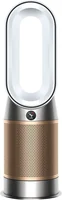
Warm up, 20% off kitchen
Apple · iPhone 17 Pro 256GB
Pickup: Available tomorrow at Cupertino
$999Save $100Was $1,099
Recreated for a reader in Cupertino on an iPhone
Works with any email platform (ESP), and anything that sends HTML email










Sent once. Correct at every open.
The email gets opened hours or days after you send it. The sale ended, the price changed, the stock ran out. Alterable draws the image when they open it. Each example below is a working recreation for a made-up brand: change a highlighted field and watch it redraw.
A clock that knows when it’s over
The countdown renders at the moment of open, so the time left is always right, and once the deadline passes it holds at zero, or shows the expiry message or image you set instead of advertising a dead offer.
- Countdown timer
- Expiry placeholder
FREE SHIPPING ON ALL U.S. ORDERS $60+
MARINA
- MEN
- WOMEN
- KIDS
- HOME
- WORLD OF MARINA
- SALE

HURRY JANE!
SELECT 2 DAY SHIPPING BY 1PM ET ON 6/11
FOR GUARANTEED WEEKEND DELIVERY
OR SHOP IN STORES
LEFT
THIS OFFER HAS ENDED
WEEKEND SHIPPING IS NOW CLOSED
SHOP NEW ARRIVALS
OR FIND A STORE NEAR YOU
It counts down to a real deadline. Open it late enough and the ended version takes over. No resend needed.
A mistake, fixed in emails already sent
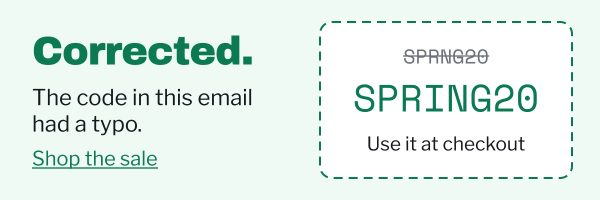
Place a critical message at the top of the template before you send. Until you need it, it’s a transparent pixel. If a code turns out wrong or plans change, switch it on (Starter) and emails opened from then on show the banner. Switch it off and it’s gone again.
- Critical message
MORETop Deals › Clearance ›
SPRING SALE
20% off everything
Online and in store, Saturday and Sunday.
Use code SPRNG20 at checkout
Shop the sale
iPhone 17 Pro
$999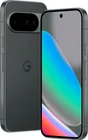
Pixel 10
$699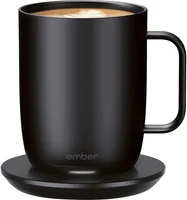
Smart mug
$79Sent with SPRNG20 instead of SPRING20. Switched off, the critical message is a transparent 1×1 pixel, so nothing shows.
Votes and status that update on every open
Each poll answer is its own image, so every open shows the split so far. A delivery tracker moves on with the hours since the send, and values you change in Alterable show up at the next open too: by hand, or on any paid plan through the API or Zapier (private beta).
MORE
Hi Jane, we’re adding one new aisle this winter. You pick.
What should we stock next?
37 votes so far. Pick an answer: each is its own image, so the next open shows the new split.

JaneFirst name, your order is on its way!
Save this email, reopen it for tracking updates.
BY CARRIERIN
TRANSITOUT FOR
DELIVERYDELIVERED
Your order tracking number is:
3141592653589793Tracking number
Nothing is resent: the same image re-renders at each open. Sped up here so you can watch it.
Their name, on the product itself
Engrave a first name, set the monogram, swap the icon: the artwork is generated for each subscriber rather than picked from a handful of pre-made variants.
- First name
- Monogram
- Engraved icon
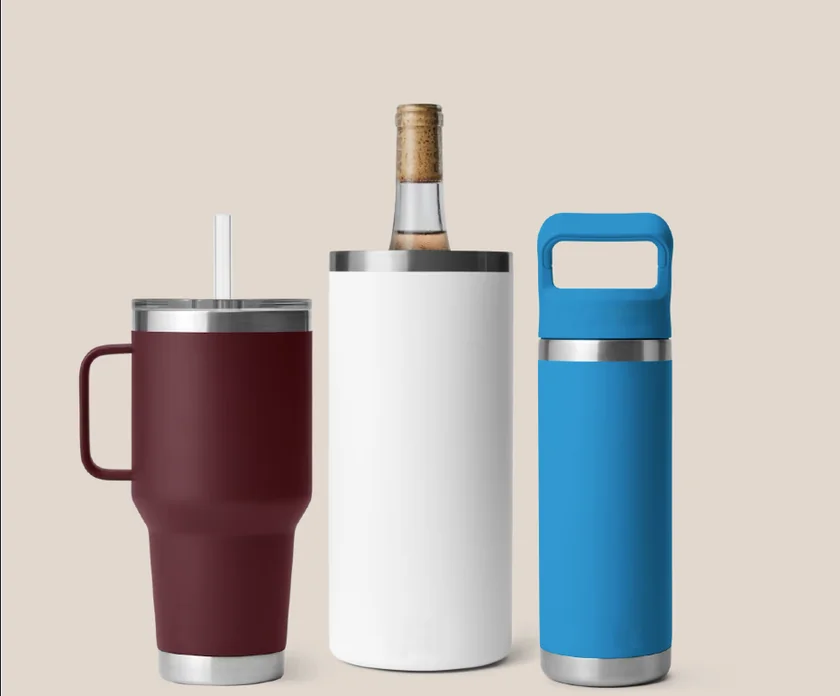
FREE CUSTOMIZATION
JohnFirst nameJMonogramType a name and the engraving and monogram follow it. Pick an icon for the tumbler.
Every balance and code, unique
Pass the reward amount, coupon code and expiry as merge tags from your ESP, and every image in the send shows that recipient’s own values. No CSV exports, no per-segment versions.

REWARDSUNLOCKED
$10
Reward amountCODE
4815162342
Coupon codeEXPIRATION
--
Expiry dateOpen the same campaign as someone else: both images redraw together.
POTTERYHOUSE
JANE WHITFIELD
Full nameTHE LOCK REWARDS
Earn 10% back in rewards today
Apply for the Pottery House credit card today to earn rewards at Pottery House, East Elm, Richard Sonoma and more.
LEARN MORE
Their weather, their nearest store
Pass the city you already hold in your ESP: a dynamic image checks the weather there at the moment of open, and a local map (Pro) points them at the showroom they can actually reach. No segments, no per-city versions.
- Weather at open
- City from ESP
- Nearest showroom
- Local map
EAST ELM
89°FWeather at openinPhiladelphiaCity from ESP
It’s patio weather.
Shop the outdoor collection, 20% off
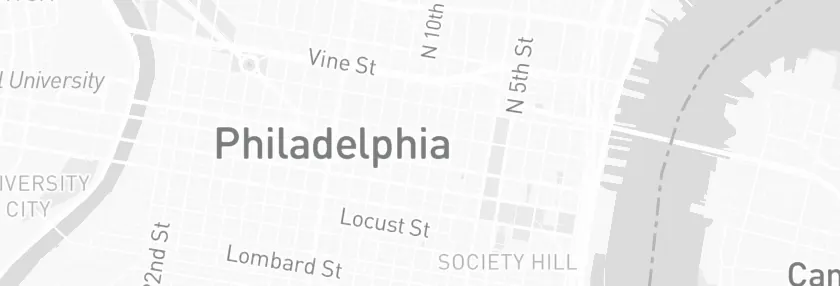
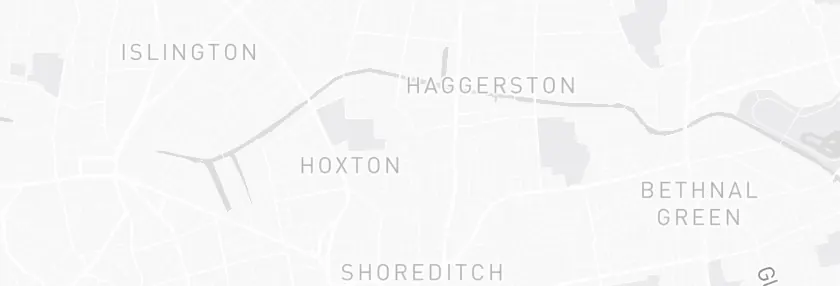 Local map© Mapbox © OpenStreetMap
Rittenhouse RowNearest showroom
The city above was picked from your browser’s time zone. Switch it and the weather, the offer, the showroom and the map all redraw.
Rather see it in your own inbox?
Built in Alterable. Pasted into your ESP.
Design the image
Set names, points, dates or charts into your own artwork in the visual builder, or build a countdown, map or survey to sit beside it.
Set the rules
Pick a fixed deadline, or an evergreen one from Starter, and choose what shows when data is missing or the offer has ended.
Paste one tag
Copy the image tag into your email and swap in your ESP’s merge tag. It is drawn again at every open.
Working for several clients? Give each one its own team, with its own ESP, images and invited teammates, all on your plan.
The whole integration
<img src="https://next.alterable.com/dynamic-images/YOUR-IMAGE-ID.png?firstname={{ first_name|default:'there' }}" />Alterable gives you this tag to copy. The outlined part is Klaviyo’s merge tag, and the only thing that changes from one ESP to the next. Read the Klaviyo guide
<img src="https://next.alterable.com/dynamic-images/YOUR-IMAGE-ID.png?firstname=*|URL:FNAME|*" />Alterable gives you this tag to copy. The outlined part is Mailchimp’s merge tag, and the only thing that changes from one ESP to the next. Read the Mailchimp guide
<img src="https://next.alterable.com/dynamic-images/YOUR-IMAGE-ID.png?firstname={{ contact.firstname }}" />Alterable gives you this tag to copy. The outlined part is HubSpot’s merge tag, and the only thing that changes from one ESP to the next. Read the HubSpot guide
Start from the campaign you’re running
Flash sales, launches, and seasonal peaks
A live countdown in every open turns “ends soon” into a visible deadline, from a weekend flash sale to Black Friday.
Winback and abandoned carts
Show the products, prices and stock you keep current in Alterable, as they stand at open.
Loyalty and milestones
Render each reader’s points balance, tier, or birthday offer right into the hero image.

Store visits and local events
On Pro, a map to their nearest store, drawn from the city you already hold in your ESP.
Giveaways and contests
The email carries the invitation; the scratch card it links to is hosted for you, with your prizes and codes.

Roundups and multi-offer sends
Two to five slides in one hero image: a greeting drawn for the reader (Pro), then this week’s offers, in the space of one.

Corrections after you hit send
Hide a banner in the email before it goes out. If a code is wrong or an event moves, switch it on (Starter) and emails opened from then on show it.
Frequently asked questions
Will Alterable hurt my deliverability?
No. Alterable content is delivered as standard images, the same kind your ESP already sends. There’s no JavaScript in the email, and nothing changes about your sending domain or authentication (SPF, DKIM, DMARC stay exactly as they are). Personalization happens on our image servers at open time.
What if a subscriber blocks images?
They see what they’d see with any image email: your alt text, and the rest of your email renders normally. We recommend meaningful alt text and keeping key details (dates, prices) in text alongside the image. Alterable enhances the email. It doesn’t replace its foundation.
How does location personalization work?
It depends on the mail client. When a client fetches the image directly, location is resolved approximately from that request at the moment of open, and nothing needs setting up. Most mail clients, though, load images through their own proxy servers, which hides where the reader actually is. For those, you pass the location you already hold in your ESP (city, region or country) as merge tags on the image URL. Either way there is no tracking script and nothing for the subscriber to install.
What happens when a countdown hits zero?
You decide in advance. Left alone, the timer stops at zero rather than counting into negative numbers, so a closed offer never advertises itself as still open. Or set an expiry placeholder, either a line of text or an image of your own, and that takes the timer’s place on every open after the deadline, including in emails already sitting in someone’s inbox.
Do I need to switch ESPs or change my workflow?
No. Paste one image tag into your existing templates in Klaviyo, Mailchimp, or any ESP. Define the rules in our visual builder, embed the snippet, and that’s the whole integration.
Is the free plan really free?
Yes. The Free plan needs no credit card, and includes 5,000 impressions a month across every content type but local maps: timers, images, products, surveys, polls, scratchers, slideshows and critical messages (switching a critical message on needs Starter). Local maps start on Pro. Full limits are on the pricing page.
How is this different from merge tags or liquid personalization?
Merge tags resolve once, when you hit send. Alterable resolves at every open, so prices, countdowns, and weather reflect the moment the subscriber is actually looking, even days later.
Still have questions? Contact us →
Build one for your next send
Make a free account, build a countdown or an image in the visual builder, then paste one tag into your ESP.
Free: 5,000 impressions a month, no card, no time limit · Paid plans from $19/mo, with the API and MCP server from Starter · Local maps from Pro, $79/mo