One of the most common questions email marketers ask before adding a countdown timer to their campaigns is: will this actually work in Gmail and Outlook? The answer is mostly yes; but with an important nuance for Outlook that’s worth understanding before you hit send.
This guide covers countdown timer compatibility with Gmail, Outlook, and every other major email client, so you know exactly what your subscribers will see.
How Email Countdown Timers Work (The Short Version)
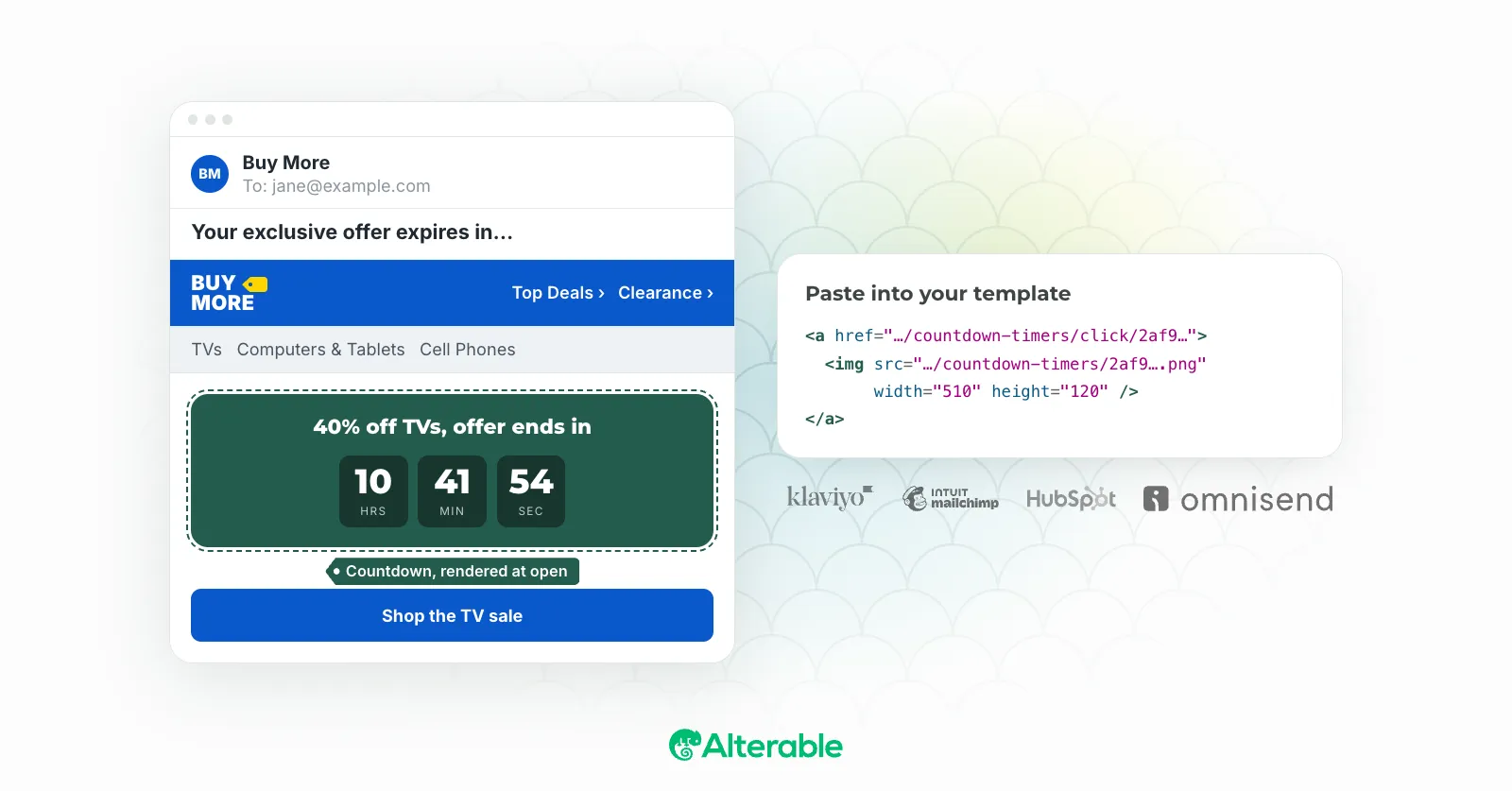
Email countdown timers are delivered as images. There is no JavaScript or dynamic HTML, which is a good thing because almost all email clients block JavaScript for security reasons.
When a subscriber opens your email, their email client sends a request to the server of the timer service. The server figures out how much time is left at that exact moment, draws it, and sends it back as an image. Most timer services draw an animated GIF that ticks for a minute or so; some, Alterable’s included, draw a still image of the time remaining. Either way the timer is right at the moment of opening, and it’s redrawn every time the email is opened again.
Because it’s delivered as a standard <img> tag, it works everywhere an image can load. The variation between email clients comes down to one thing: how they handle animated GIFs, which is why the still-image approach sidesteps most of what follows.
Here’s what that looks like in real campaigns. Two flash-sale emails from the last week, both archived at Inbox Archive with their HTML intact. EcoFlow’s went out through Emarsys with a CountdownMail timer; Dick’s Sporting Goods sent through Epsilon with a timer of its own. Different ESPs, different timer vendors, same mechanism: an image URL that resolves to the current time left.
EcoFlow: ⚡ Last 24 Hours: Power From $829 Before Prices Go Up on Inbox Archive
Dick's Sporting Goods: Up to 50% off Flash Sale deals end tonight! ⏳ Hurry, shop now! on Inbox Archive
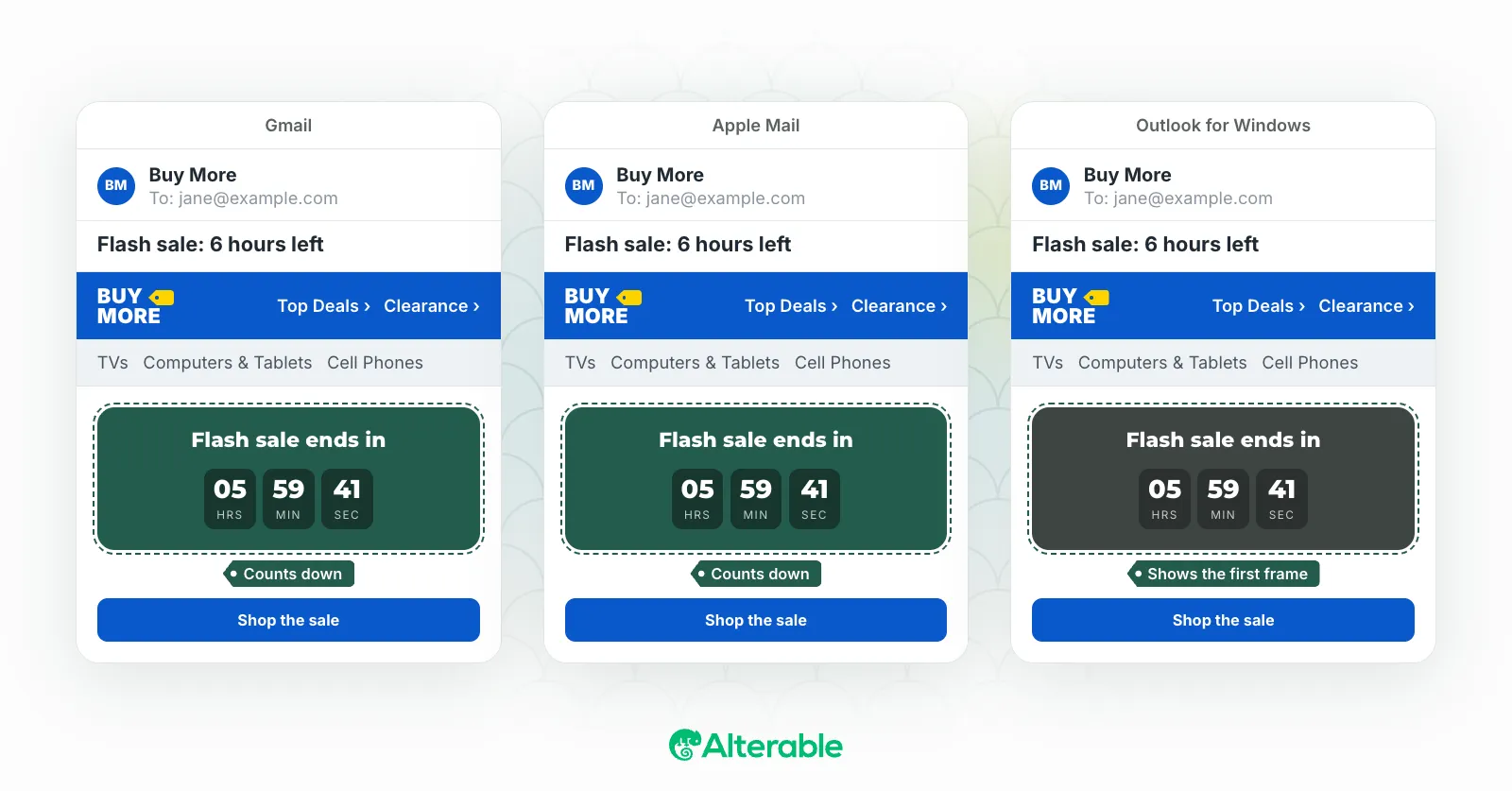
Open either in Gmail and the digits move. Open it in Outlook 2019 or older on Windows and you get the first frame, frozen. The rest of this guide is about that difference, client by client.
Gmail Compatibility
Result: Full animation ✅
Gmail displays animated GIFs perfectly. When subscribers open the email in Gmail, whether it’s in the browser, the Android app, or the iOS Gmail app, they will see the countdown animation in real time. The timer ticks, the numbers change, and the urgency hits just as it should.
This is the most important compatibility box to check because Gmail is the most popular email client in the world. Countdown timers verify it without any problems.
Outlook Compatibility
Result: Static image (first frame) ✅
Desktop Outlook on Windows, versions 2007 through 2019, does not animate GIFs. Instead, it displays only the first frame of the animated GIF as a static image. Outlook 2021, 2024 and Microsoft 365 on Windows do play them by default, but they fall back to the first frame when animation effects are turned off in Windows.
This means that Outlook users will see a still image of the timer showing how much time is left. It won’t make a sound. The most important thing to remember is that the timer is new every time the email is opened, so the first frame will always show the correct amount of time left at that moment. The time shown is correct, even though there is no animation.
How important is this? Research consistently indicates that Outlook primarily caters to corporate and B2B audiences. Most of the people on your B2C email list (for retail or e-commerce) probably use Gmail, Apple Mail, or a mobile device, all of which fully support animated GIFs. The static-but-accurate fallback still works for B2B campaigns when you need to get the message across quickly.
The best way to do this is to plan the first frame ahead of time. It should clearly show the time left and have a design that is easy to read. This way, Outlook users will have a clean, static experience instead of a confusing half-rendered image. To see exactly which frame they’ll get, drop your GIF into the free Outlook GIF Checker.
Apple Mail Compatibility
Result: Full animation ✅
Apple Mail on Macs, iPhones, and iPads can show all of an animated GIF. This is great news for Apple because it has a large share of the market, especially on mobile. People who use Apple Mail will see the full animated countdown.
Yahoo Mail Compatibility
Result: Full animation ✅
Yahoo Mail supports animated GIFs and renders email countdown timers correctly. Subscribers on Yahoo Mail see the full countdown animation.
Mobile Email Clients
Result: Mostly full animation ✅
The vast majority of mobile email clients, including the native iOS Mail app, Gmail for iOS/Android and Samsung Email, support animated GIFs. The main exception is the native Android email app on older Android versions, where only the first frame may display.
For most of your audience, who are modern mobile users, countdown timers work well and often look even better on a phone screen, where the timer takes up more of the screen.
Outlook on Mac
Result: Full animation ✅
You should know that Outlook for Mac works differently than Outlook for Windows. Mac Outlook fully displays animated GIFs, so Mac users of Outlook will see the animated countdown just like Gmail users.
Summary: Countdown Timer Compatibility by Client
| Email Client | Animated GIF Support | Timer Experience |
|---|---|---|
| Gmail (web & app) | ✅ Full | Animated countdown |
| Apple Mail (Mac/iOS) | ✅ Full | Animated countdown |
| Yahoo Mail | ✅ Full | Animated countdown |
| Outlook for Mac | ✅ Full | Animated countdown |
| Outlook 2007–2019 (Windows) | First frame only | Static, accurate time display |
| Outlook 2021 / 2024 / Microsoft 365 (Windows) | ✅ Full | Animated unless Windows animations are off (then first frame) |
| Outlook on the web / Outlook.com | ✅ Full | Animated countdown |
| Samsung Email | ✅ Full | Animated countdown |
| Android native (older) | Partial | First frame static |
How to Get the Best Results Across All Clients
- Design the first frame carefully. Since Outlook shows only the first frame, make sure it’s a clean, readable display of the remaining time (not a blank state or an intermediate animation frame).
- Always include alt text. Set descriptive alt text on your timer image (e.g., “Sale ends in 2 days”). This text is shown when images are blocked entirely, and it contributes to email accessibility.
- Use a high-contrast design. Whether animated or static, the timer digits need to be immediately legible, especially on small mobile screens.
- Test before you send. Use email testing tools (or send to test accounts across clients) to verify the timer renders correctly in your target clients before launching to your full list.
The Bottom Line
Countdown timer compatibility with Gmail is excellent: full animation, no issues. Older Outlook on Windows (2007–2019) is the one client that doesn’t animate GIFs, but the result (a static image showing accurate remaining time) is still effective at communicating urgency. Every other major email client handles animated countdown timers without problems.
The benefits of countdown timers far outweigh the drawbacks of Outlook for most email programs. This is especially true since even Outlook users can see the correct remaining time as a static image.
When you’re ready to add one to your own campaigns, the setup guides walk through the exact steps for Mailchimp, Klaviyo, HubSpot, and eight other email platforms.