Open your inbox on the Monday after Thanksgiving and count the subject lines that say “ends soon.” Then count the ones that tell you when. The first number is always bigger.
By Monday, your subscribers have had five days of Black Friday email. They aren’t short on offers. They’re short on attention, and a Cyber Monday email that reads like the four before it gets archived with them. So the job on Monday isn’t to shout louder. It’s to be the one email in the pile that’s specific: what ends, when it ends, and why it’s worth opening now.
Cyber Monday falls on November 30 this year. Here’s how I’d plan the day itself.
The Cyber Monday email is the last chapter, not the whole book
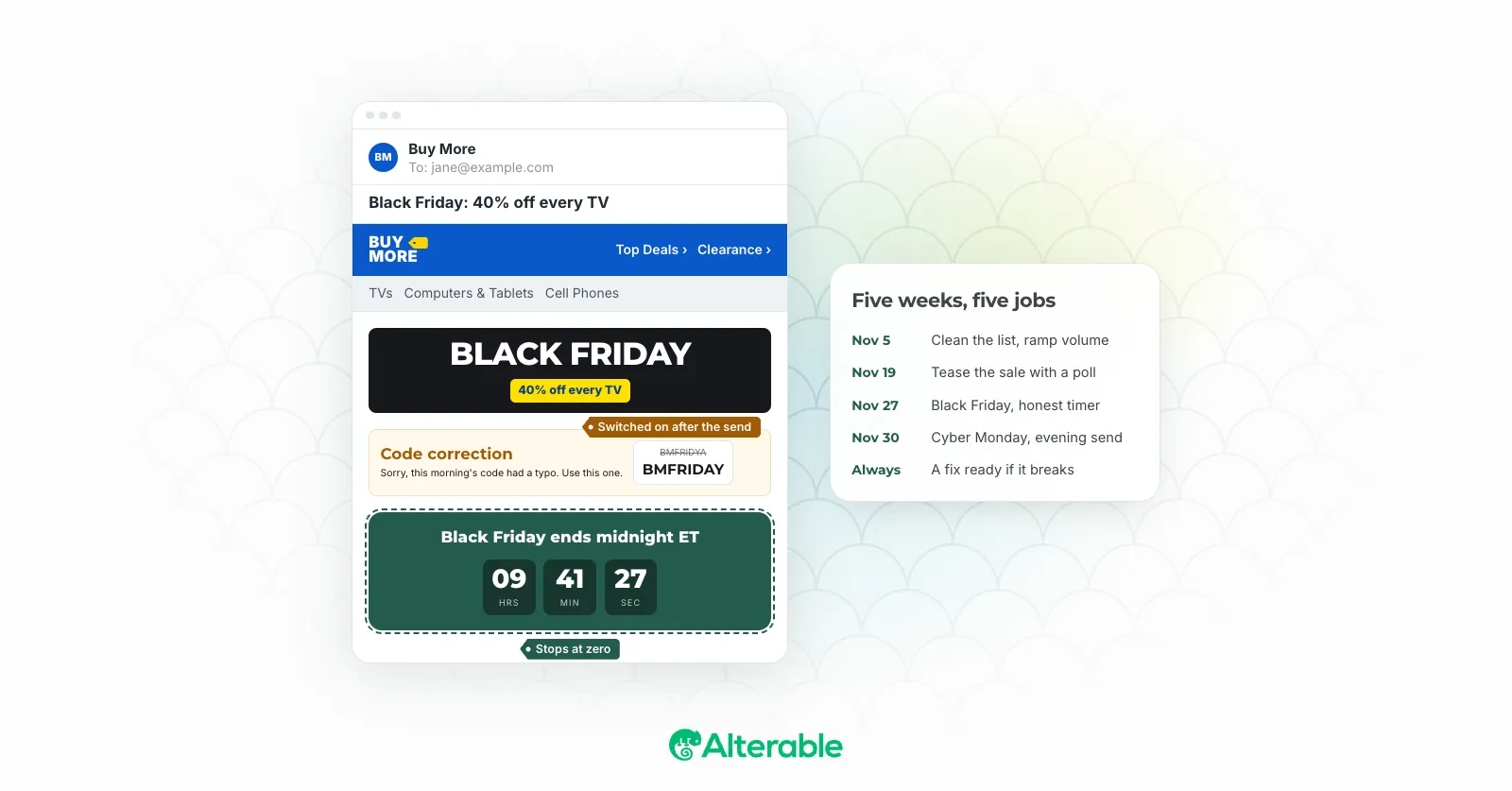
Monday works best as the end of a short sequence: early access for your best customers, the Black Friday launch, a weekend reminder, then Cyber Monday. Each one has a different job, so nobody feels they got the same email four times. I covered that week stage by stage in the Black Friday email marketing playbook, so I’ll stay on Monday here.
What makes Monday different is that it’s the only day where “last chance” is true. That’s a big advantage. Every other email in the week has to work for attention; this one has a real deadline built in. Don’t waste it on a subject line that sounds like Wednesday’s.
When to send your Cyber Monday email
Cyber Monday is still the biggest online shopping day of the year, and it peaks late. Adobe tracked spending at $16 million a minute between 8 and 10 p.m. on Cyber Monday 2025. People browse at lunch and buy after dinner.
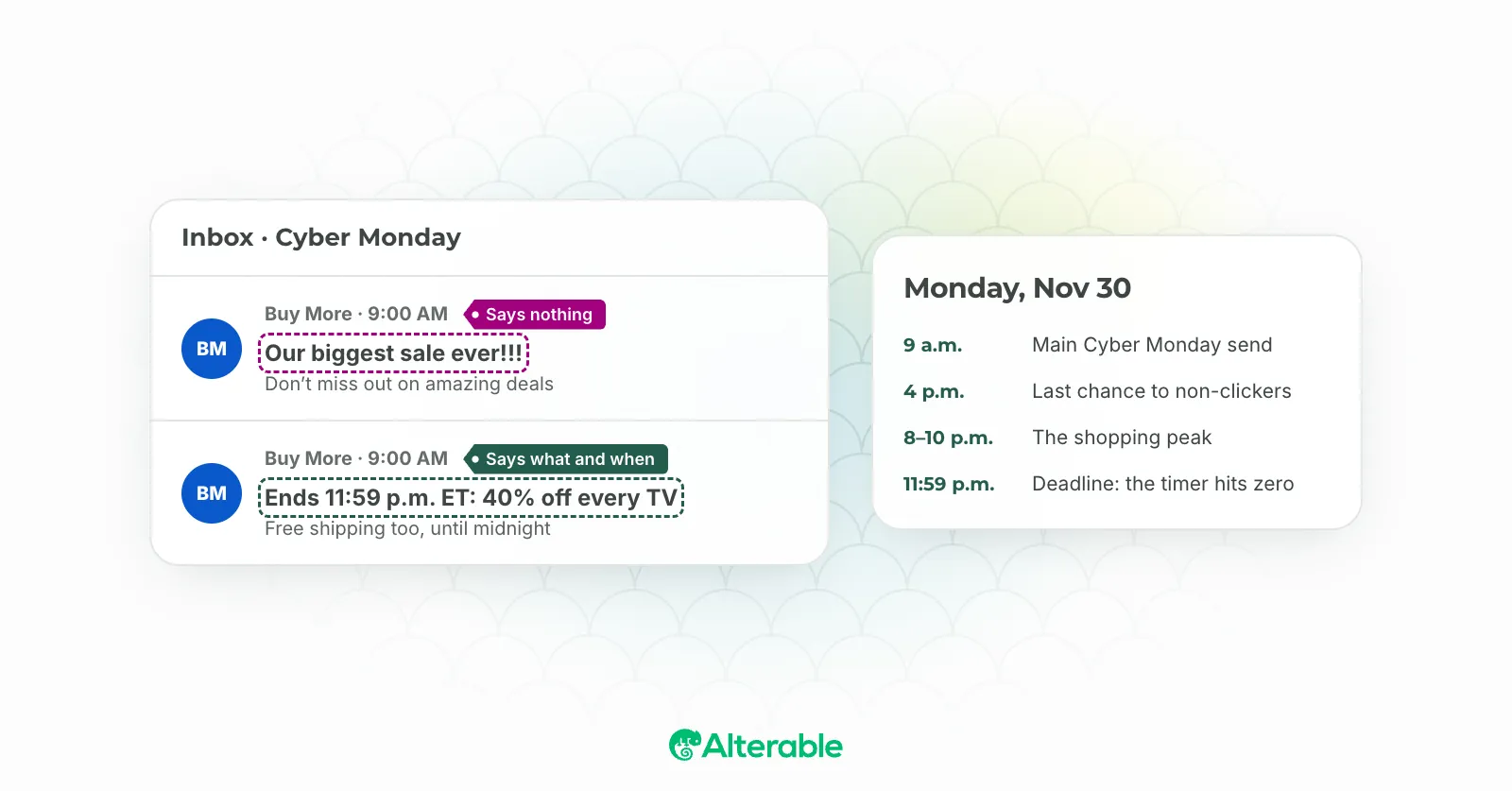
That doesn’t mean holding everything until 7 p.m. For most lists, I’d plan two sends:
- The main Cyber Monday email in the morning, at whatever hour your own list usually opens and clicks. Last year’s send-time report for your account beats any industry average, including this one.
- A short last-chance email in the late afternoon, before the evening peak, with the deadline in the subject line.
For the second send, think twice about the usual “resend to non-openers.” Apple Mail Privacy Protection loads images for a large share of readers whether they look at the email or not, so your non-opener segment is missing a lot of people who never saw the first one, and your “openers” include plenty who didn’t either. Sending to everyone who hasn’t clicked or bought is cruder, but it matches what you can actually measure.
One more timing question: volume. If you normally send twice a month and suddenly send daily, mailbox providers notice the jump. Ramp up through November rather than on the day, and run a deliverability test on your Cyber Monday template before the peak, not during it. If something’s off in your SPF or DMARC, the SPF and DMARC generators will get you to a working record in a few minutes.
Cyber Monday email subject lines that say something
“Our biggest sale ever” could describe any email in the inbox that day. The subject lines that get opened on Cyber Monday share one trait: they’re specific. A number, a time, a benefit, or a person.
- “Ends 11:59 p.m. ET: 30% off sitewide.” A real deadline plus a real number. Nothing to decode.
- “Free shipping ends at midnight.” One clear benefit, and a reason to act today instead of Tuesday.
- “Your cart is still here, and so is the discount.” Relevant to one person, if your ESP knows what’s in their cart.
- “Last day for the price you saw Friday.” Ties Monday back to the email they already read.
A last-chance email works best when the urgency is genuine, because then the subject line can stay plain. “Ends tonight” beats three exclamation marks. All caps and stacked punctuation are also exactly what spam filters and readers both discount, so run the final version through the spam checker if you’ve been tinkering with it at midnight.
Then make the preview text earn its line. It should add information, such as the end time or the one product worth seeing, not repeat the subject. Mobile accounted for 57.5% of Cyber Monday online sales last year (same Adobe data), and on a phone the subject and preview are the whole pitch.
If you want more ideas to test, the creative subject line ideas post has a few that hold up in a crowded week, and if you’re tempted by a ⏰, the emoji post takes an honest look at whether they help.
Urgency that doesn’t feel fake
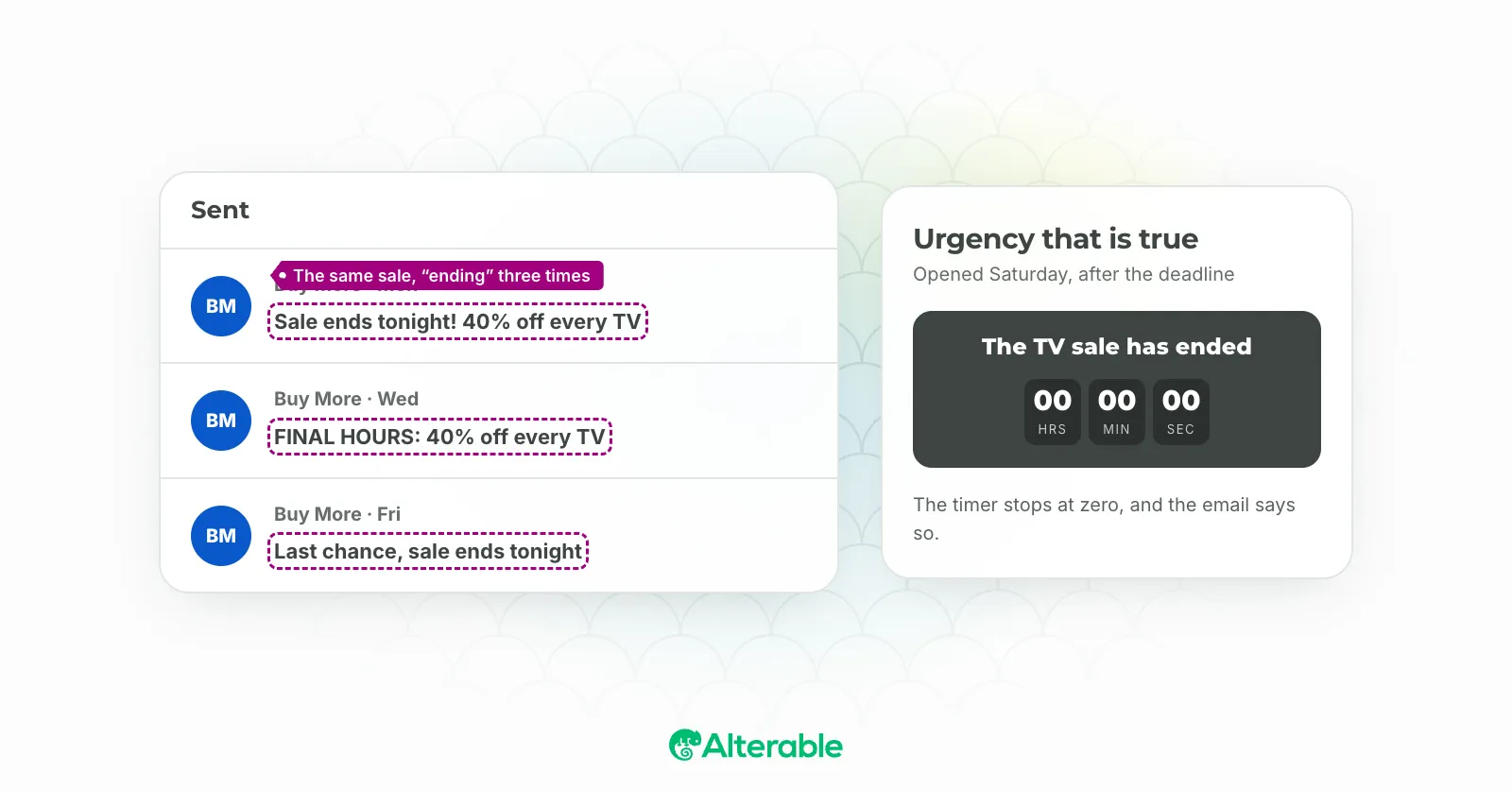
Subscribers have all seen “final hours” on a sale that quietly continues into Tuesday. They remember, and they discount your next deadline accordingly. In Washington state, a false-urgency subject line can now carry per-message penalties, so this isn’t only a trust question anymore.
A few ways to keep Monday honest:
- State the deadline with a time zone. “Ends Monday, 11:59 p.m. ET,” in the subject, the body and the timer’s alt text.
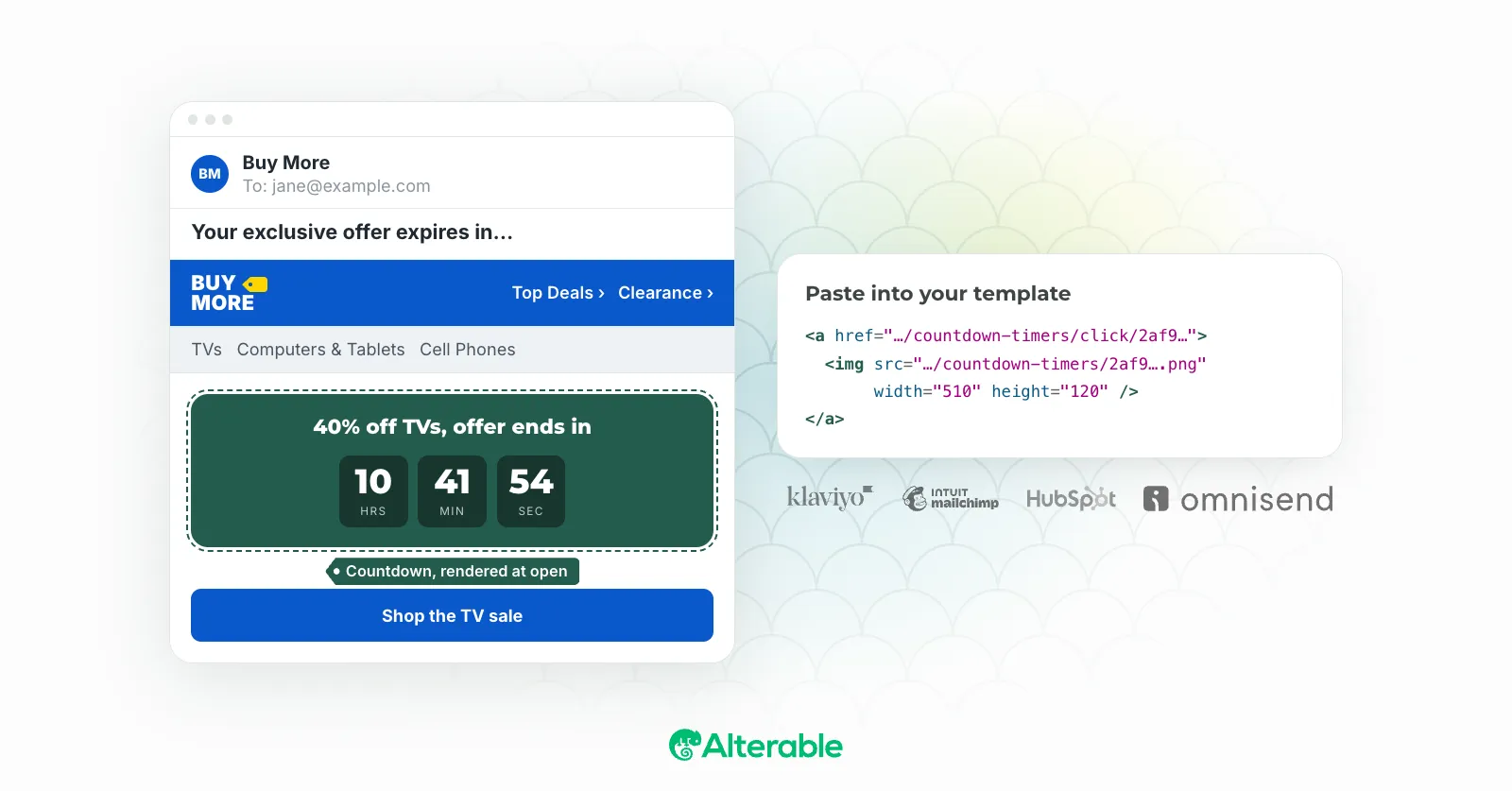
- Show the clock instead of describing it. A live countdown timer is drawn when the email is opened, so the reader sees how long is actually left, and it stops at zero instead of advertising a deal that’s over. Our guide on adding a countdown timer to your email walks through the setup.
- Give a reason. A shipping cutoff, limited stock or a bonus that expires is a reason. “Hurry” on its own isn’t.
- If you extend, say so. Extending quietly teaches your list to wait for the extension next year. Say it plainly, and if the timer is drawn at open, move its deadline once so emails already in inboxes show the new end time.
What to send after Cyber Monday
The sequence doesn’t end at midnight. Buyers should get a short thank-you or a “here’s what’s next” a day or two later, and nothing that looks like another sale. People who clicked but didn’t buy are some of the warmest contacts you’ll have all year, so give them a softer message later in the week, built around what they looked at rather than a fresh discount.
And check what your Monday emails show from Tuesday on. Plenty of people will open them late. A timer with an expired image that says the sale has ended (and links somewhere useful) looks deliberate; a frozen clock looks broken.
If you’d like a countdown on Monday’s email, design it in the free countdown timer generator (deadline, time zone, your fonts and colors), and a free Alterable account turns it into the embed code for your template. Start with the last-chance send. It’s the one where a real deadline does the most work.