For most of email’s history, authentication was optional in the way that locking your front door is optional. Nothing forced you to, and plenty of senders didn’t. That ended in February 2024, when Gmail and Yahoo began enforcing sender requirements within weeks of each other, and it ended for good in May 2025 when Microsoft did the same for Outlook.com. Email authentication is now the entry fee. Miss it and the biggest mailbox providers in the world will defer, junk or reject your mail, and tell you so in the bounce.
This post covers what SPF, DKIM and DMARC each actually prove, how they fit together, and exactly what the three providers require, with the numbers.
What email authentication is for
Email’s original design lets anyone put any address in the From line. Authentication is the set of standards that let a receiving server check whether a message really came from the domain it claims. Three standards do the work, and they answer three different questions.
SPF: is this server allowed to send for this domain?
SPF, Sender Policy Framework, is a DNS record listing the servers permitted to send mail for your domain. When a message arrives, the receiver looks up the record and checks whether the sending IP is on it. It’s the oldest of the three and the easiest to get wrong, because every tool that sends on your behalf, from your ESP to your helpdesk to your billing system, has to be in the record, and the record has a hard limit of ten DNS lookups. Our free SPF record generator builds one and warns you when you’re near the limit.
DKIM: was this message tampered with, and who signed it?
DKIM, DomainKeys Identified Mail, attaches a cryptographic signature to each message, generated with a private key your sending system holds and verified against a public key you publish in DNS. If the message was altered in transit, or wasn’t signed by your key, the check fails. Your ESP usually handles the signing; your job is to publish the key it gives you. Yahoo requires keys of at least 1024 bits, and 2048 is the sensible default now.
DMARC: what should happen when they fail, and does the From line match?
DMARC, Domain-based Message Authentication, Reporting and Conformance, sits on top of the other two. It tells receivers what to do with mail that fails SPF or DKIM (p=none to monitor, p=quarantine to spam-folder it, p=reject to refuse it), and it adds the check the other two lack: alignment. The domain in the visible From header has to match the domain SPF or DKIM validated. Without alignment, a spammer can pass SPF for their own domain while showing yours in the From line. DMARC also sends you reports on who’s sending as your domain, which is how most companies discover a forgotten system or an active spoofer. The free DMARC record generator writes the record.
What Gmail requires
Google’s sender guidelines have applied since February 1, 2024. For everyone:
- SPF or DKIM on the sending domain
- Valid forward and reverse DNS for sending IPs
- TLS for the connection
- A spam rate in Postmaster Tools kept below 0.3%
For bulk senders, meaning 5,000 or more messages a day to Gmail addresses, all of that plus:
- Both SPF and DKIM
- A DMARC record, which can be
p=none - Alignment: the From domain must match the SPF or DKIM domain
- One-click unsubscribe using the
List-UnsubscribeandList-Unsubscribe-Postheaders, plus a visible unsubscribe link in the body, with requests honoured within two days
Google phased enforcement in through 2024, starting with temporary deferrals and moving to rejections. The phase-in is over. Non-compliant bulk mail is rejected.
What Yahoo requires
Yahoo’s sender best practices mirror Google’s almost line for line, which was the point: the two announced together so senders would have one bar to clear. SPF, DKIM at 1024 bits or more, and for bulk senders a DMARC policy of at least p=none that passes. Spam rate below 0.3%. One-click unsubscribe with the RFC 8058 POST method recommended, honoured within two days. Valid forward and reverse DNS.
What Microsoft requires
Microsoft joined in 2025. From May 5, 2025, domains sending 5,000 or more messages a day to Outlook.com, Hotmail and Live addresses need SPF passing, DKIM passing, and a DMARC record of at least p=none aligned with SPF or DKIM. Non-compliant mail is rejected with a 550 5.7.515 error naming the authentication level as the reason. Microsoft also asks for a From or Reply-To address that can actually receive mail, a conspicuous unsubscribe for bulk mail, and bounce-driven list hygiene.
That makes the three requirements effectively identical, which is good news: one setup satisfies all of them.
The 5,000 threshold is not the point
I’ve seen a lot of senders read “5,000 a day” and decide the rules don’t apply to them. Two problems with that. The count is per day at each provider, and a monthly newsletter to 20,000 Gmail addresses crosses it on send day. And the non-bulk requirements still include authentication and the 0.3% spam ceiling. The bulk rules add DMARC and one-click unsubscribe, both of which you should have anyway.
Treat the bulk requirements as the requirements. They’re what a well-run sending domain looks like, and the day your list grows past the line is not the day you want to be setting them up.
Setting it up, in order
- Inventory everything that sends as your domain. ESP, transactional service, helpdesk, CRM, billing, calendar invites. Each needs to be in SPF or signing with DKIM, ideally both.
- Publish SPF and DKIM, using the records each service gives you. Keep SPF under ten lookups.
- Publish DMARC at
p=nonewith a reporting address, and read the reports for a few weeks. This is where you find the system nobody remembered. - Check alignment. The From domain your subscribers see must match what DKIM signs or SPF validates. On some ESPs that means a custom sending domain rather than the shared default.
- Add one-click unsubscribe if your ESP hasn’t already. Most have. Confirm the header is present in a test send.
- Move DMARC to
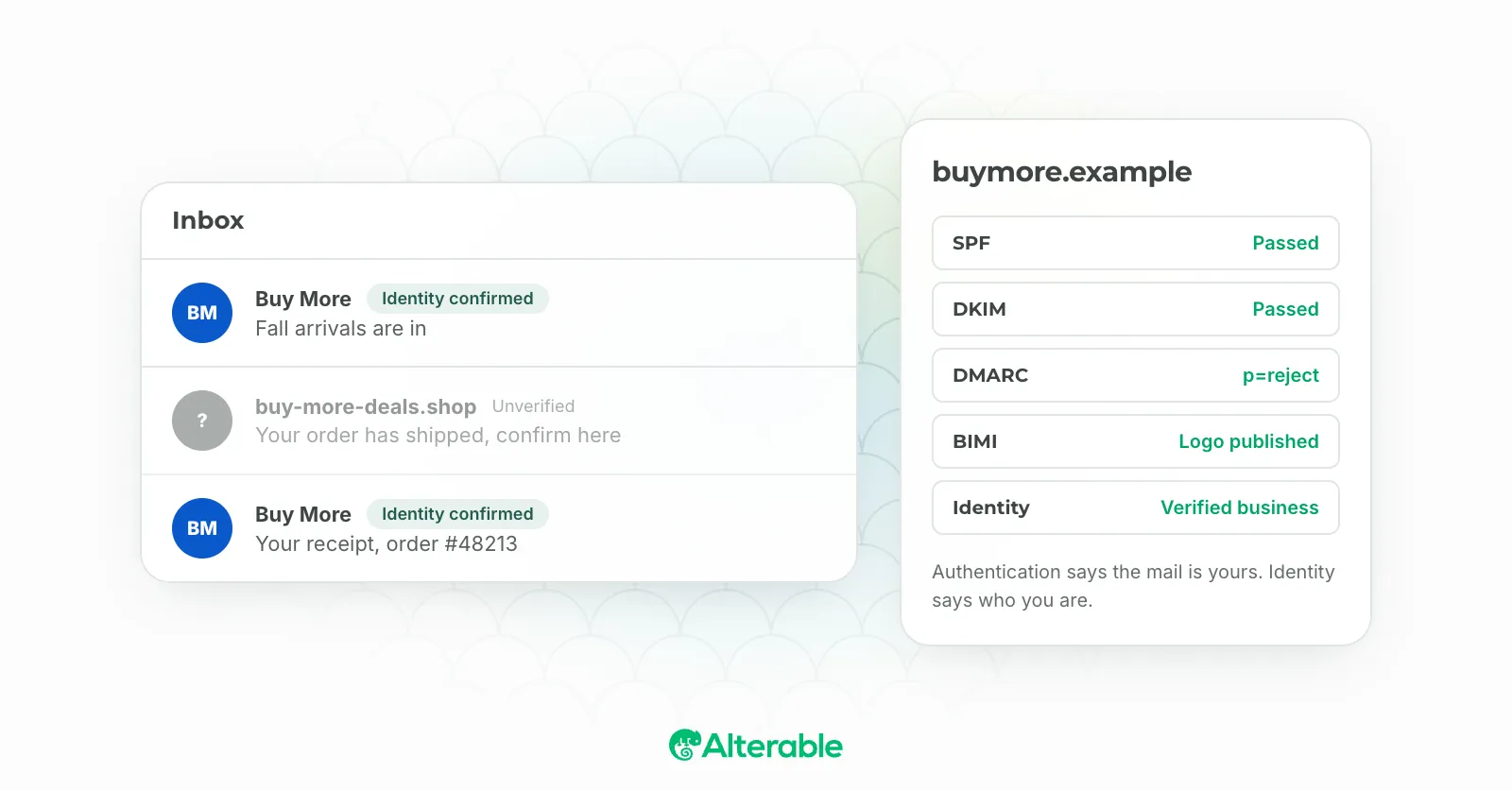
p=quarantine, thenp=rejectonce the reports are clean. Enforcement is also what unlocks BIMI, if a logo in the inbox interests you. - Verify. The free email deliverability test checks the SPF, DKIM and DMARC records on your sending domain in a few seconds, and Google Postmaster Tools shows your spam rate and authentication status as Gmail sees them.
Authentication won’t fix a bad list or dull content, and it won’t get a message into the inbox on its own. What it does is get you past the door. Since 2024, nothing else you do in email matters until it’s done.