There’s a frustrating moment every email marketer eventually hits. You send a campaign you’re proud of: solid copy, clean design, good list. And the numbers just don’t add up. Opens are low. Clicks are lower. You dig into it and realize half your emails never made it to the inbox in the first place.
That’s your email sender reputation at work. Or rather, not working.
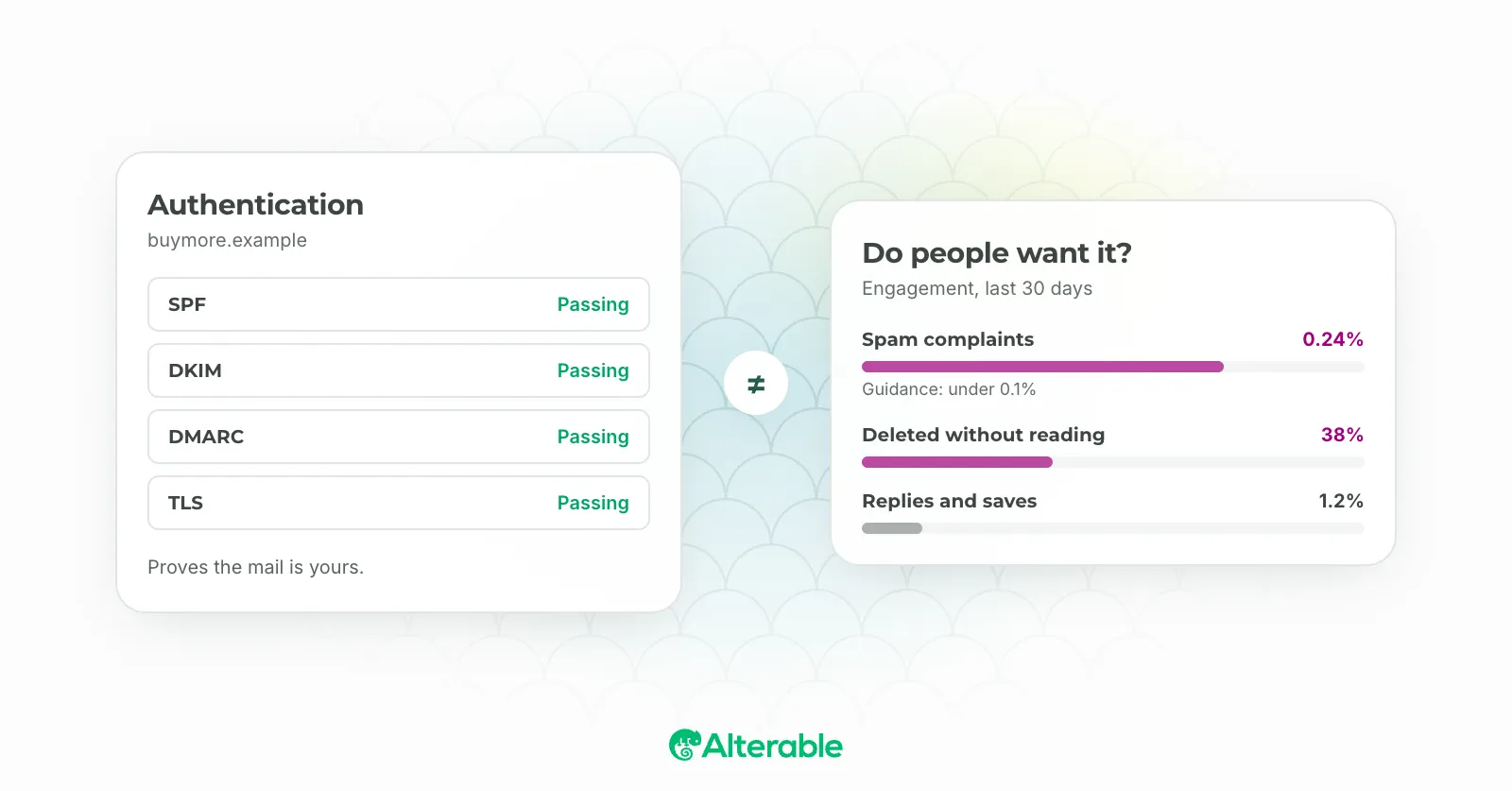
Sender reputation is the score that inbox providers use to decide whether your email belongs in front of someone or buried in a spam folder. It’s not one number from one place: Gmail, Yahoo, and Outlook each run their own calculations, factoring in your sending history, engagement rates, spam complaints, and more. I’ve seen senders with technically perfect authentication still struggle with deliverability because they ignored the behavioral signals that providers actually care about.
The good news: sender reputation is fixable. It just takes a bit of diagnosis before the cure.
Why Your Metrics Are Probably Lying to You
Most deliverability problems don’t announce themselves. You don’t get an error. You don’t get a bounce. The email just silently disappears into a spam folder, and your open rate quietly drops a few points each week.
I’ve noticed that a lot of marketers only catch reputation problems when things have already gotten bad. By then, there’s a pattern that’s harder to reverse. The better approach is to monitor a few signals regularly so you catch issues early.
Watch your open and click-through rates by domain. A drop in opens from Gmail subscribers specifically, while your Outlook audience stays stable, tells you something very targeted. It’s not your content. It’s your standing with Google. That distinction matters when you’re troubleshooting.
Most ESPs let you filter performance by recipient domain. If yours doesn’t, it’s worth finding one that does.
Blocklists and How They Affect Your Deliverability
Blocklists are one of the fastest ways to torpedo your sender reputation, and one of the most overlooked. A blocklist (sometimes called a blacklist) is a database of IP addresses or domains flagged for sending spam. Inbox providers check these lists before deciding what to do with your email.
Getting listed doesn’t mean you did something obviously wrong. I’ve seen senders end up on a blocklist because they sent to an old list that had accumulated spam traps, or because a shared IP on their ESP had been abused by another sender entirely.
The impact varies depending on which list you land on. Some are minor and barely affect deliverability. Others, like Spamhaus, can essentially shut down your inbox placement overnight.
Check your IP and sending domain regularly using tools like MXToolbox or MultiRBL. If you find yourself listed, most blocklists have a removal process. Just make sure you identify and fix the underlying cause first, or you’ll get re-listed within days.
Spam Traps: The Listing You Never See Coming
A spam trap is an address no real person uses, maintained by a blocklist operator or a mailbox provider for one purpose: to see who sends to it. There are two kinds. Pristine traps never belonged to anyone. They’re seeded on web pages so that anyone scraping or buying addresses picks them up. Recycled traps were real addresses once, abandoned long enough that the provider reclaimed them. If you’re still mailing an address that stopped opening three years ago, there’s a fair chance it’s one of these now.
Hitting a pristine trap says you acquired addresses you shouldn’t have. Hitting a recycled one says you don’t remove people who’ve gone quiet. Providers read both the same way, and a single trap hit can be enough to land you on a list.
The defence is list hygiene you’re already supposed to be doing. Confirmed opt-in, so nobody can add an address that isn’t theirs. Catch typos at the form, because gmial.com is exactly the kind of domain traps live on; a small library like Mailcheck does it. Remove hard bounces the day they happen. And sunset subscribers who haven’t engaged in six months, because the address you’re loyally mailing may no longer have a person behind it.
Content Is a Reputation Signal Too
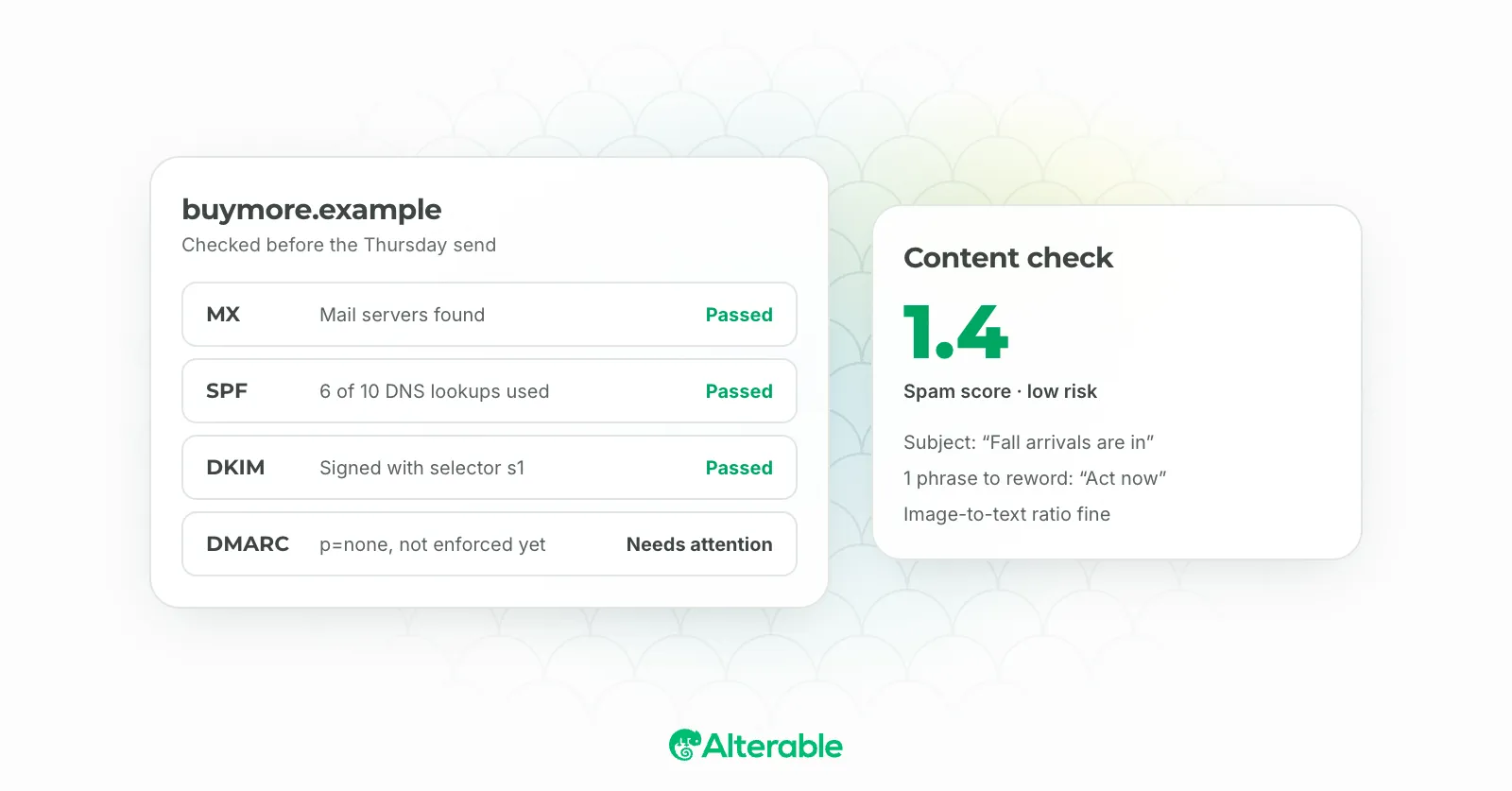
Content matters to reputation for two reasons, and only one of them is filters. Filters do still look at the classics: image-only emails with no text, subject lines made of capitals and exclamation marks, a From name that doesn’t match the domain, oversized HTML. Run a draft through the free spam checker and you’ll see the specific patterns that trip them, and our spam trigger words post covers the vocabulary.
The larger effect is indirect. Content that people open, read and click produces the engagement signals providers weight most. Content they delete unread, or worse report, produces the opposite. So “good content” isn’t a deliverability tactic so much as the thing every other tactic is a proxy for. Send what people asked for, keep it recognisably from you, and make the unsubscribe link easy to find so that the people who’ve had enough leave quietly instead of reporting you.
The Infrastructure Layer
If you send through an ESP, most of this is their job, and the point of the list is knowing what to ask them. If you run your own sending, it’s yours.
- A dedicated IP once your volume justifies it. On a shared IP, another sender’s bad week is your bad week. Below a few hundred thousand messages a month a well-run shared pool is usually the better choice, because a dedicated IP with too little volume never builds a reputation of its own.
- No open relay, no open proxy. The fastest way onto Spamhaus’s XBL is to let someone else send through your server.
- Feedback loops and the postmaster mailboxes. Sign up for every provider feedback loop you can (there’s a section on them below), and make sure
postmaster@andabuse@at your sending domain are real, monitored inboxes. Several providers require them before they’ll give you complaint data. - A sending domain that can receive mail. Some providers reject mail from a domain with no MX record, on the reasonable theory that a sender who can’t be replied to isn’t trying to have a conversation.
- Don’t hop IPs to escape a problem. A fresh IP starts with no reputation and has to be warmed like a new domain. Moving doesn’t lose the history; it loses the good part of it.
How to Warm Up Your New Domain (and Why It Matters)
If you’re sending from a brand new domain, or you’ve migrated to a new one, this section is especially important. Inbox providers have no history on you. You’re a stranger, and strangers don’t get the benefit of the doubt.
The process of warming up your new domain involves gradually increasing your sending volume over a few weeks, starting with your most engaged subscribers. The idea is to build a positive track record before you ask providers to trust you with large volumes.
Here’s how I’d approach it:
- Start small. Send to your best subscribers first, the people who regularly open and click. Week one might be 200–500 emails per day.
- Increase gradually. Double or triple your volume each week as long as engagement stays strong and complaints stay low.
- Watch the signals. If you start seeing a spike in spam complaints or a dip in engagement at a certain volume, slow down. Don’t push through it.
- Keep your content consistent. Inbox providers use content fingerprints too. Sending a completely different type of email mid-warmup creates noise you don’t need.
Skipping this step and blasting a fresh domain with 100,000 emails on day one is one of the most reliable ways to get flagged immediately. Not to worry if you’ve already made that mistake. It’s recoverable, but it takes time and patience.
How to Check Your Gmail Reputation Specifically
Gmail deserves its own section because it’s the largest inbox provider by market share and because Google gives you more direct visibility into how they see you than almost anyone else.
Google Postmaster Tools is the place to start. It’s free, and once you verify your sending domain, you get access to dashboards showing your spam rate, domain and IP reputation, delivery errors, and authentication status, all from Google’s perspective.
To check your Gmail reputation specifically:
- Go to postmaster.google.com and sign in with a Google account.
- Add and verify your sending domain (you’ll add a TXT record to your DNS).
- Give it a few days to populate data if you haven’t used it before.
- Look at the Domain Reputation dashboard first. Google rates you as High, Medium, Low, or Bad. If you’re anything below High, that’s where your deliverability investigation should start.
- Check the Spam Rate dashboard. Google’s threshold for concern is around 0.1%, and they’ve been increasingly vocal about that in their 2024 sender requirements.
The Spam Rate dashboard shows complaints as a percentage of email authenticated with DKIM. That’s useful because it tells you whether your reputation issue is list-wide or specific to how certain messages are landing.
The Fundamentals: Engagement, Value, and List Hygiene
Here’s something I keep coming back to: inbox providers are essentially trying to answer one question. Do your subscribers want this email?
Everything else is a proxy for that. Authentication tells providers who you are. Engagement tells them whether your subscribers care. And list hygiene tells them whether you know what you’re doing.
Engagement is the one you have the most control over. Subscribers who open, click, and reply send positive signals. Build emails worth opening: relevant, useful, specific to where each subscriber is in their relationship with you. Dynamic, real-time content helps here: showing someone an offer tied to their recent behavior is almost always more compelling than a static blast.
Re-engagement campaigns are worth running on any subscriber who hasn’t opened in 90 to 180 days, depending on your sending frequency. A simple “still interested?” email with an easy opt-out does two things: it re-activates the subscribers who are still interested, and it removes the ones who aren’t before they drag your engagement rates down further.
The subscribers who don’t want your emails are more dangerous to your reputation than no subscribers at all. I’ve seen senders cut their list in half and watch their deliverability improve dramatically. It’s counterintuitive until you understand how providers score you.
Implement BIMI for Brand Trust (and a Deliverability Boost)
BIMI (Brand Indicators for Message Identification) is one of the newer tools in the deliverability toolkit, and it’s worth implementing if you haven’t already.
In practical terms, BIMI lets you display your brand logo directly in the inbox next to your sender name. For Gmail and Yahoo, subscribers see your logo before they even open the email. It’s a visual trust signal that distinguishes your emails from the sea of nameless senders.
To implement BIMI for brand trust and full inbox visibility, you’ll need:
- DMARC enforcement. Your DMARC policy needs to be set to
p=quarantineorp=reject. BIMI won’t work withp=none. If you need to build or update the record, our free DMARC record generator will do it for you. - A certificate proving the logo is yours. A Verified Mark Certificate needs a registered trademark and earns Gmail’s blue checkmark. Since 2024 there’s also the Common Mark Certificate, which needs a year of prior public use rather than a trademark and shows the logo in Gmail without the checkmark. Both carry an annual fee from an approved issuer; the BIMI post walks through the choice.
- An SVG version of your logo formatted to BIMI specifications.
- A BIMI DNS record pointing to your SVG and (for Gmail) your VMC.
Yahoo supports BIMI without a VMC, so that’s a good place to test the basics before investing in the certificate.
Is it a direct deliverability boost? Technically, BIMI itself doesn’t improve your spam filtering scores. But it does improve open rates (data from Mailgun suggests around a 10% lift) which feeds back into the engagement signals that do affect your reputation. So there’s a real indirect effect.
Using Provider Feedback Loops
Beyond Postmaster Tools, each major inbox provider offers feedback mechanisms that tell you when subscribers are marking your emails as spam.
Gmail’s feedback loop is baked into Postmaster Tools. For Yahoo and AOL, you can apply to their Complaint Feedback Loop (CFL) directly. For Outlook and Hotmail, Microsoft’s Smart Network Data Services (SNDS) gives you IP-level data on complaints and trap hits.
Setting these up is a one-time task that takes maybe an hour, and the visibility is genuinely useful. When you see complaint rates spike after a specific send, you have a real signal to act on, rather than just watching your open rates drift down and wondering why.
Putting It Together
Email sender reputation isn’t something you fix once and forget. It’s a running score that reflects the ongoing quality of your list, your content, and your sending practices.
If you’re starting from scratch with a new domain, warm it up carefully. If you’re dealing with a reputation problem, check the blocklists, pull up your Gmail Postmaster data, and look for patterns in which sends are causing complaints. If you want to build long-term trust with both subscribers and inbox providers, BIMI is worth the investment.
The senders I’ve seen maintain strong deliverability over time aren’t doing anything exotic. They send relevant content to engaged people, they clean their lists regularly, and they pay attention to the signals providers give them.
At Alterable, we help email teams personalize content at the moment of open, which means the emails you send are more likely to be relevant at exactly the time the subscriber reads them. That relevance is good for engagement, and engagement is good for your sender reputation. The two things feed each other in a way I find genuinely satisfying.