For years, deliverability felt like a locked room. You sent your campaign, watched your open rates, and guessed at what Gmail thought of you. If things went sideways, you’d squint at spam-rate charts in Google Postmaster Tools and try to reverse-engineer the mood of an algorithm that never explained itself. I’ve spent more hours than I’d like to admit staring at those graphs, trying to translate a red line into a to-do list.
That guessing game is ending. Google Postmaster Tools just added a Deliverability Analysis section that does something it never used to do: it tells you, in plain language, whether Gmail thinks your recipients actually want your email. Not whether your DNS is configured correctly. Whether people want it. Those turn out to be two very different questions.
The verdict you couldn’t get before
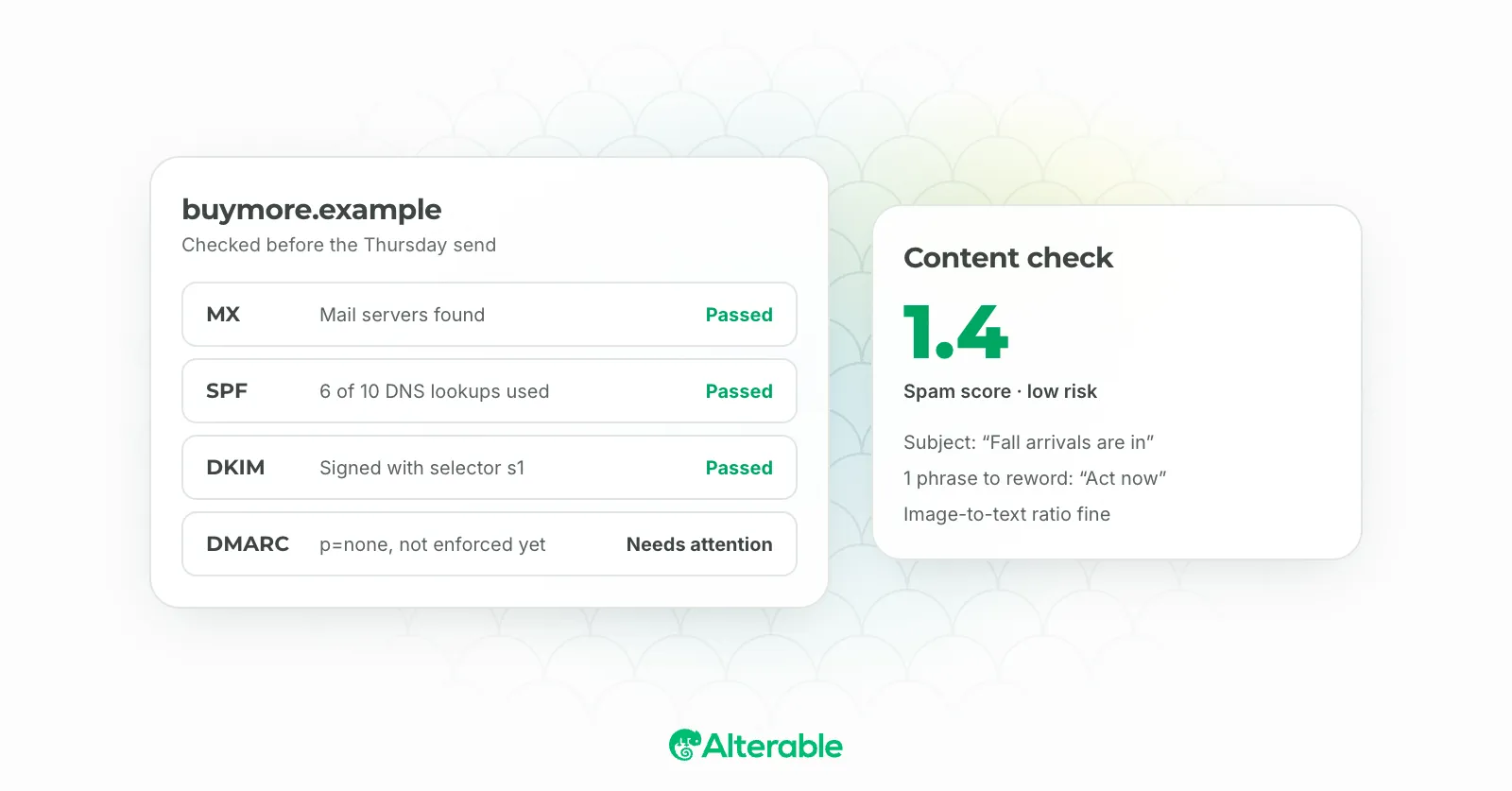
Here’s what changed. The old Postmaster Tools handed you raw signals: spam rate, authentication results, SMTP errors, message volume, reputation. All useful, all technical, and all requiring you to be fluent in DNS records to make sense of them. If your marketing manager opened the dashboard, they’d close it thirty seconds later.
The new Deliverability Analysis takes those same signals and converts them into readable verdicts, each with a status, a plain-language reason, and a recommended action. Instead of “spam rate: 0.24%,” you get something closer to “recipients are marking this as unwanted, here’s where to start.” It’s the difference between a car’s check-engine light and a mechanic telling you what’s actually wrong.
The part that matters most is buried in how Google separates two things it used to blur together.
Passing your auth checks isn’t the same as being wanted
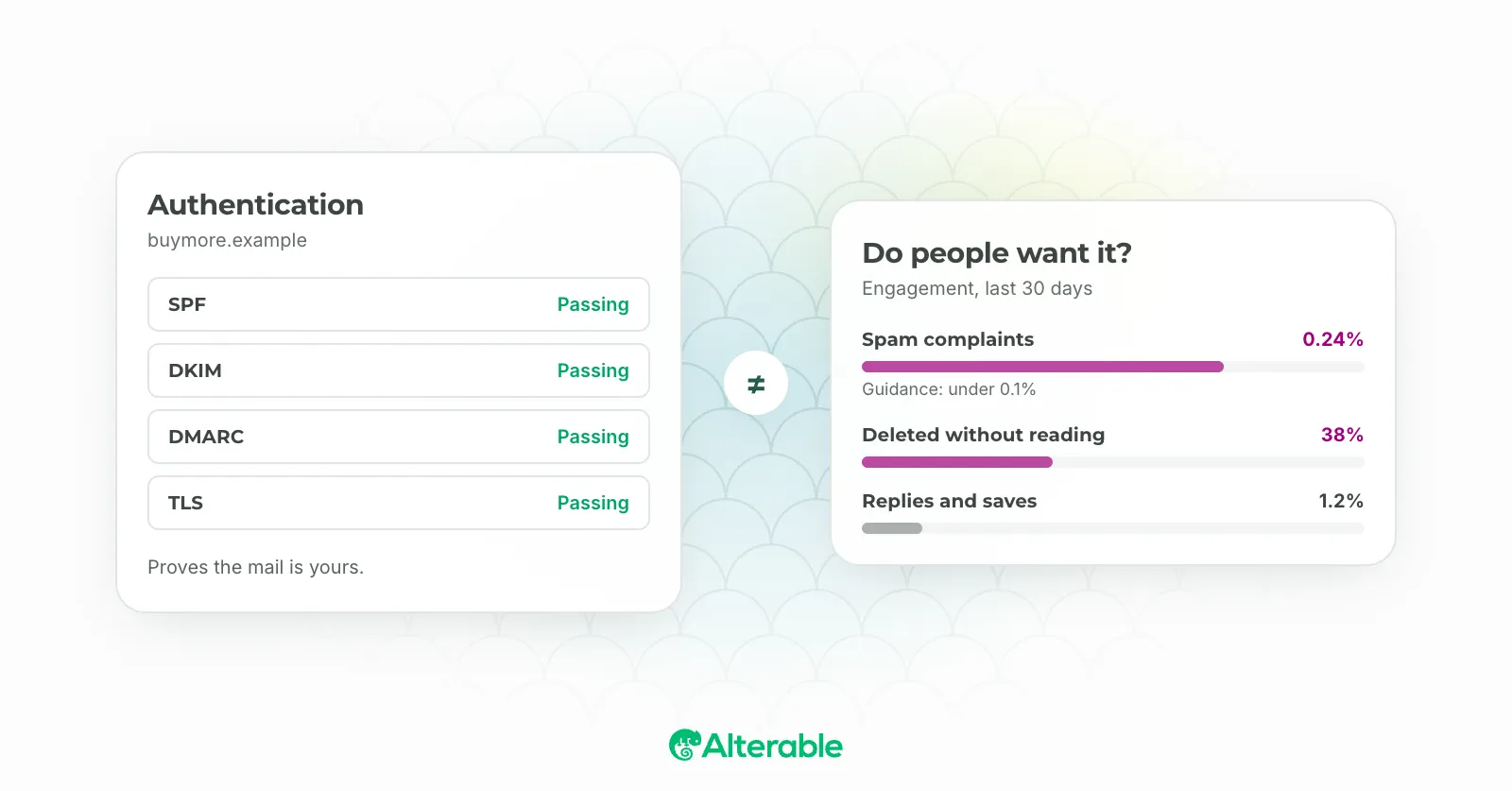
This is the shift I’d tattoo on every email marketer’s monitor if I could. Technical compliance and recipient sentiment are now graded separately, and they don’t always agree.
Compliance Status answers one question: is your email configured correctly? SPF, DKIM, DMARC, one-click unsubscribe, all the boxes Gmail and Yahoo have required since 2024. Deliverability Analysis answers a completely different one: do people actually want what you’re sending?
You can ace the first and fail the second. A sender can pass every authentication check, publish a spotless DMARC record, and still get a negative verdict because the engagement signals say the audience doesn’t want the mail. Think about that for a second. The thing most teams treat as the finish line, getting authentication green, is now just the entry fee. It gets you to the door. It doesn’t get you in the room.
I’ve seen teams pour weeks into their authentication setup, celebrate when everything goes green, and then wonder why their inbox placement keeps slipping. The answer was never in the DNS. It was in the fact that they were emailing people who’d stopped caring.
What “wanted” actually looks like to Gmail
So what feeds the sentiment verdict? Engagement patterns, mostly. Opens, deletes without reading, replies, moving mail out of spam, and above all, spam complaints. Google’s own guidance now points to 0.1% as the working spam-complaint threshold to manage against, not the 0.3% ceiling everyone quotes. That gap is bigger than it looks. Three complaints per thousand is the point where you’re already in trouble. One per thousand is where you should be steering.
And recovery isn’t instant. Once you’ve tripped an enforcement period, Gmail weighs your broader sending history, not a single clean week. You don’t buy your way back with one good campaign. You earn it back over time, which means the smart move is never getting there in the first place.
How to actually listen to what Gmail is telling you
The tool is only useful if you act on it. Here’s where I’d start.
- Check Deliverability Analysis, not just Compliance Status. If you’ve only ever looked at whether your authentication is passing, you’ve been reading half the dashboard. Open the new section and read the verdicts on their own terms.
- Treat a negative sentiment verdict as a list problem first. When Gmail says people don’t want your mail, the fix usually isn’t technical. It’s who you’re sending to and how often. Prune inactive subscribers before you touch a single DNS record.
- Manage against 0.1%, not 0.3%. Set your internal alarm well below the official ceiling. By the time you hit the published limit, the damage is already underway.
- Watch the two grades diverge. If compliance is green but sentiment is sliding, that’s your early warning. It means your setup is fine and your relevance isn’t. That’s a content and targeting conversation, not an engineering one.
That last point is the whole story. When your configuration is clean and Gmail still says your audience doesn’t want you, the problem is that your email isn’t relevant enough to the person opening it. That’s the part most marketers skip. They optimize the plumbing and ignore the water.
Relevance is where the real work lives now, and it’s where sending the same static campaign to everyone quietly kills you. The senders who’ll thrive under this new scrutiny are the ones whose email adapts to the person reading it: their location, their last action, what they actually care about at the moment they open. That’s the entire reason we built Alterable around real-time personalization. Gmail just made the business case for us, in plain language, right there in the dashboard.
The locked room is open. Gmail is finally telling you what it thinks. The only question left is whether you’ll listen.