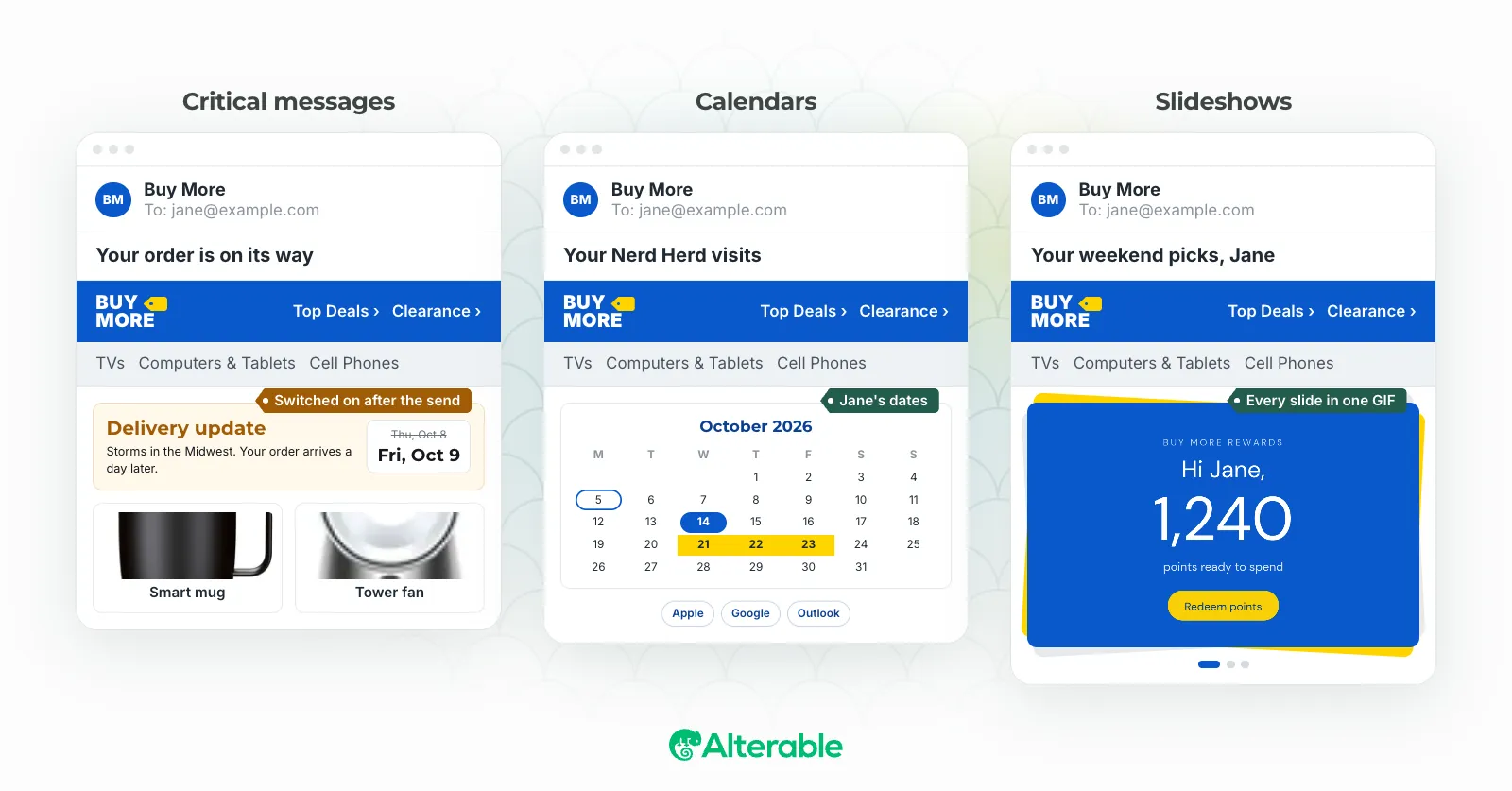
Think about when you write a personalized email campaign. You pull your subscriber data, build segments, slot in dynamic content blocks based on what you know about each person, and schedule the send. By the time you hit that send button, the email is essentially frozen. The “personalization” in it reflects the world as it was when you built the campaign, not the world as it is when the subscriber actually opens it.
For a lot of email programs, that gap doesn’t matter much. But for real-time email personalization, it’s the entire point.
Send time versus open time
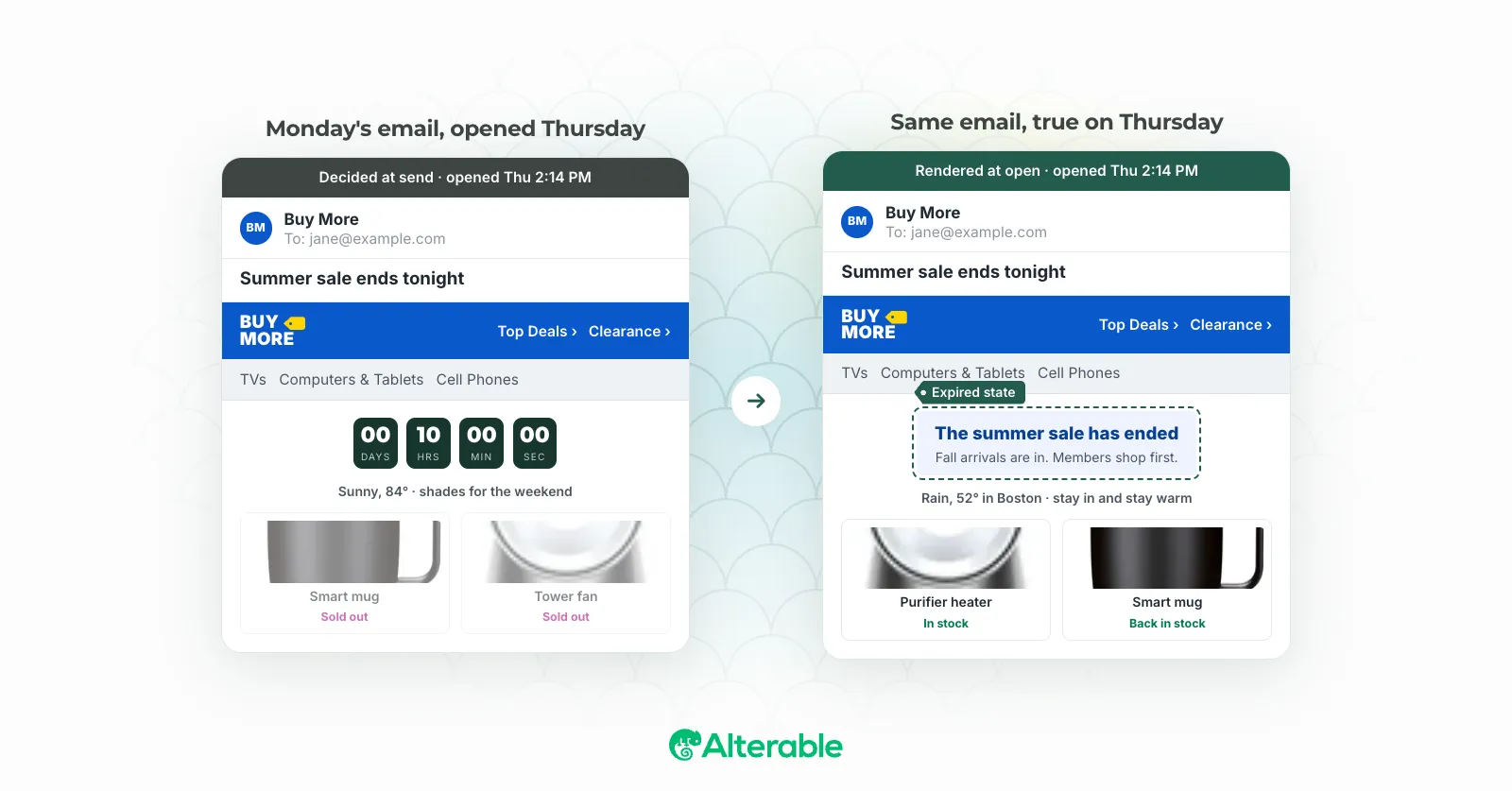
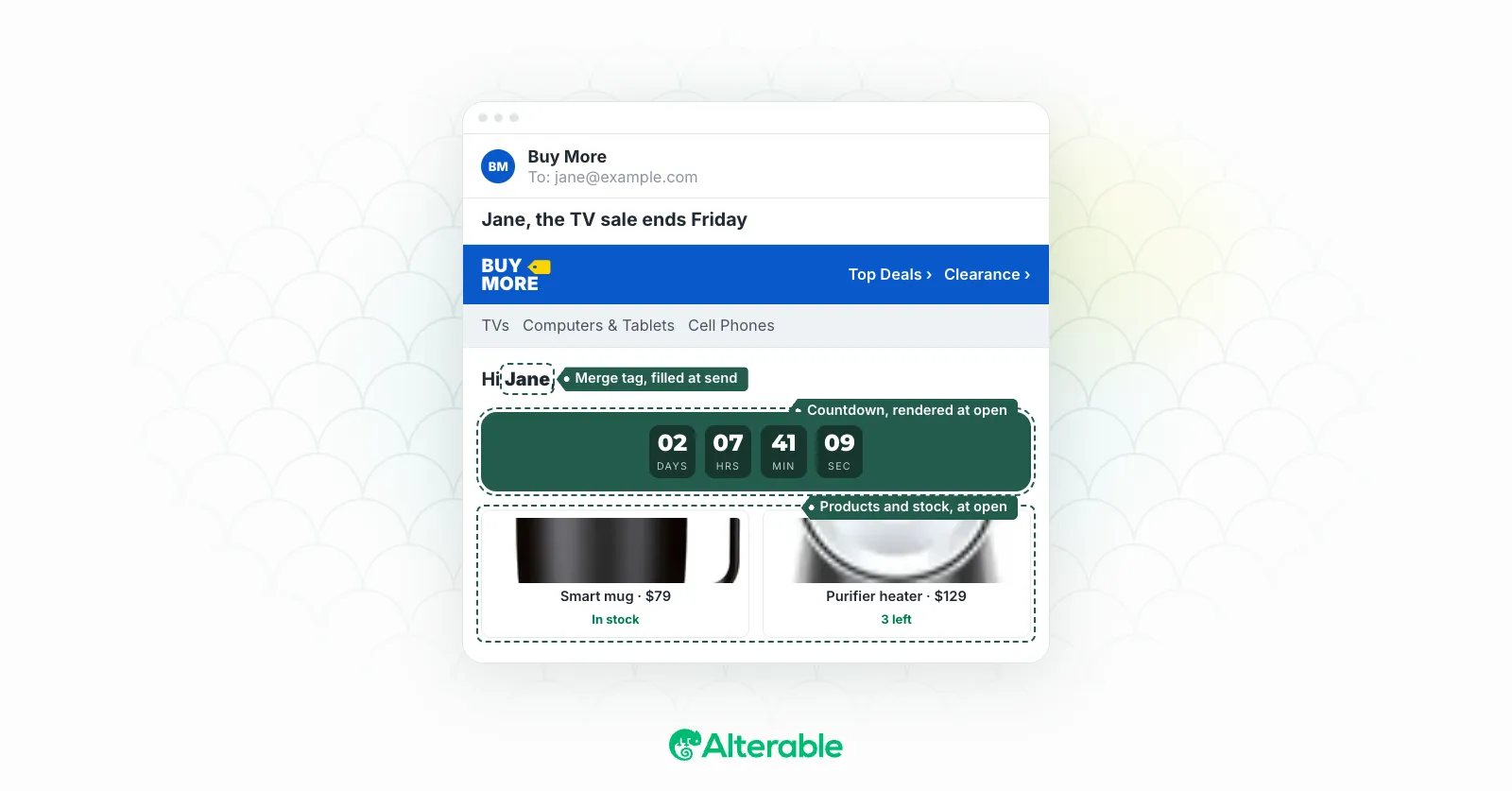
Standard email personalization happens at send time. The content is assembled and baked into the email before it leaves your ESP. Real-time personalization happens at open time. The email that lands in an inbox is essentially a shell, and when the subscriber opens it, content is pulled in at that exact moment, reflecting what’s true right now.
The mechanism is simpler than it sounds. Email clients load images by calling a URL, the same way a browser loads an image on a webpage. With real-time personalization, that URL doesn’t just point to a static file. It points to a server that receives the request, looks up subscriber data, applies whatever logic you’ve configured, and returns a dynamically generated image, all in the time it takes the email to render.
The practical implication is significant. A countdown timer that shows real remaining hours. A product recommendation that reflects what the subscriber browsed this morning. A loyalty balance that’s accurate right now, not as of last Tuesday when you exported your subscriber file. Inventory signals that show current stock levels rather than what was in stock three days ago when you built the campaign.
What this actually enables
The examples that make real-time email personalization click for most people are the ones where the difference between send time and open time is most visible.
Countdown timers are the clearest case. I’ve seen email programs run a 24-hour flash sale, build a beautiful countdown timer into the campaign, and then watch subscribers open the email 36 hours later to a timer showing a negative number or a broken element. Real-time rendering fixes this cleanly: the timer reflects actual remaining time at open, and when the promotion ends, the email can show a graceful “this offer has expired” state rather than a confusing broken experience.
Inventory is another one. “Only 3 left in stock” is a compelling message when it’s true. When your email goes out on Monday showing three units remaining and the subscriber opens it on Thursday when the item has been fully restocked, it’s just noise. Showing live stock levels at open time means that urgency signal is honest, which is the only version of urgency that actually builds trust.
Location-based content is more nuanced but genuinely useful for the right use cases. Retailers, travel brands, and weather-dependent products can serve different content based on the subscriber’s approximate location at open time. Someone opening a hotel email from Chicago sees different featured properties than someone opening it from Los Angeles. Someone opening a clothing email during a cold snap sees outerwear; someone in a warm climate sees something else. This doesn’t require you to know where your subscribers live in advance, it’s inferred at the moment of open.
The Apple Mail Privacy Protection wrinkle
If you’re going to implement real-time email personalization seriously, there’s an important nuance to understand about how Apple Mail Privacy Protection (MPP) affects it.
When Apple introduced MPP in September 2021, it broke traditional open rate tracking by pre-loading email content through Apple’s proxy servers rather than the subscriber’s device. This means that for a significant portion of your list (depending on your audience, anywhere from 30 to 60 percent), the “open” event you see in your analytics is actually Apple’s server fetching the email on its own schedule, often within minutes of delivery, not when the subscriber actually reads it.
For real-time personalization, this creates a timing problem. The content rendered for an Apple Mail user may reflect conditions at the time Apple’s server fetched the email, not when the subscriber saw it. A countdown timer, live inventory signal, or weather-based image for an Apple Mail open may be off by hours.
This doesn’t make real-time personalization less valuable for Apple Mail users. It means you need to think about it as a factor when designing your implementation. For elements where timing precision is critical, like a countdown to a specific deadline, you may want to handle the expired state gracefully regardless, since you can’t guarantee the render happened when you intended.
The data layer underneath it all
Real-time email personalization requires two things: a mechanism to render content at open time, and subscriber data to inform what that content should be. The second part is where most implementations get complicated.
The simplest version works with data you already have in your ESP: the subscriber’s product browse history, their last purchase category, their loyalty tier. You match that against your product catalog or content library at render time and serve the appropriate content. This doesn’t require a Customer Data Platform or complex infrastructure. It requires an image-serving layer and some logic.
The more sophisticated version pulls from a live data source: real-time inventory levels, current pricing, a subscriber’s current points balance. That does require integration work, connecting the render request to a system that has accurate, up-to-date information. How deep you go depends on what use cases you actually need. Most programs get meaningful lift from the simpler version before they need to tackle live integrations.
The principle to hold onto is that the value of real-time personalization scales with how much the relevant facts change between send time and open time. For an email where the content would be accurate regardless of when it’s opened, real-time rendering doesn’t add much. For an email where timing, inventory, pricing, or context changes matter, it’s the difference between a campaign that’s honest at open time and one that’s a snapshot of conditions that may no longer exist.
What Alterable does here
This is Alterable’s core use case. The platform handles the image-serving layer, the subscriber data matching, and the content rendering, so you can add countdown timers, live product recommendations, loyalty balance displays, location-based images, and live inventory signals to any email campaign without rebuilding your tech stack. The email itself is built in whatever ESP you’re already using. Alterable handles what happens when the subscriber opens it.
If you’re running campaigns where the gap between send time and open time creates accuracy problems, or where you want content that reflects what’s true right now rather than what was true when you hit send, that’s the problem it solves.