Most email personalization is backward-looking. It draws on what someone bought last month, what they clicked on last week, which segment they fell into at signup. That’s all useful. But there’s a signal that’s almost entirely ignored by most teams, and it’s happening right now, in real time, outside every subscriber’s window.
Weather.
I know. It sounds almost too simple. But local weather data is one of the most powerful context signals available to email marketers, and I’ve seen it produce some of the most dramatic lift numbers of any personalization approach. The reason is straightforward: weather directly affects mood, physical comfort, and purchasing intent. A subscriber checking their inbox on a rainy Tuesday in Chicago is in a measurably different headspace than one opening the same email on a sunny Saturday in Phoenix. And yet most email programs send them the exact same content.
Weather-based email personalization changes that. Here’s how to use it well.
Why Weather Data Works for Email Personalization
The relationship between weather and consumer behavior is well-documented. A study published in the Journal of Retailing and Consumer Services found that weather conditions influence mood and, consequently, spending patterns. Cold weather drives people toward comfort-seeking. Heat pushes them toward relief. Rain keeps them indoors and more likely to browse. Sunshine sends them outside but also puts them in a better mood overall, which can increase receptivity to marketing messages.
This isn’t just theory. Retailers have been factoring weather into physical store operations for decades. Supermarkets have known for years that cold snaps spike soup and bread sales. Sporting goods retailers see demand for certain categories shift dramatically with the forecast.
Email is just catching up. And the teams that get there first have a real advantage.
Match Your Product Recommendations to the Forecast
The most direct application of weather data is product relevance. If you’re a clothing retailer, this is almost too obvious: show rain jackets to subscribers in Seattle when it’s wet, show linen shirts to subscribers in Miami when temperatures climb past 85°F. But even brands that don’t sell weather-sensitive products can think about this more creatively.
A home goods brand can promote cozy blankets and candles when temperatures drop. A food and beverage brand can shift between hot drink recommendations and iced alternatives based on the forecast. A fitness brand can surface outdoor gear when conditions are good and home workout equipment when they’re not.
The key is to think about how your product catalog maps to weather states: not just temperature, but precipitation, UV index, wind, even seasonal transitions. Build that mapping deliberately, and then let the subscriber’s local conditions do the work of selecting the right content.
I’ve seen teams approach this by creating three to five weather content “buckets” (hot and sunny, warm and pleasant, cool and cloudy, cold, rainy) and building a content variant for each. That’s a manageable amount of creative lift, and when the dynamic logic is set up correctly, each subscriber gets the version that fits their current reality.
Write Subject Lines That Reflect the Subscriber’s World
Subject lines are the first place weather personalization can prove its value, because they’re the first thing a subscriber sees. And there’s something almost jarring (in a good way) about an email that seems to know what’s happening outside.
“Rainy day in Boston? Here’s something for the couch.” “It’s 78° and sunny out there. Your patio is calling.” “Chicago’s getting hit with a cold front. Gear up.”
These work because they create an immediate sense of relevance. The subscriber hasn’t even opened the email yet, and they already feel like it was written for them. That impression carries through the open and into the body of the email, as long as the content delivers on the promise.
A few things to keep in mind when writing weather-aware subject lines:
- Pull actual local conditions, not regional approximations. “Cold snap in the Midwest” feels generic. “32°F in Minneapolis right now” feels specific.
- Make sure the forecast data you’re referencing is current. An email that arrives midday with subject line copy written for morning conditions can feel off.
- Don’t overdo it. One weather reference per subject line is plenty. You’re going for resonance, not a weather report.
Localize the Imagery, Not Just the Copy
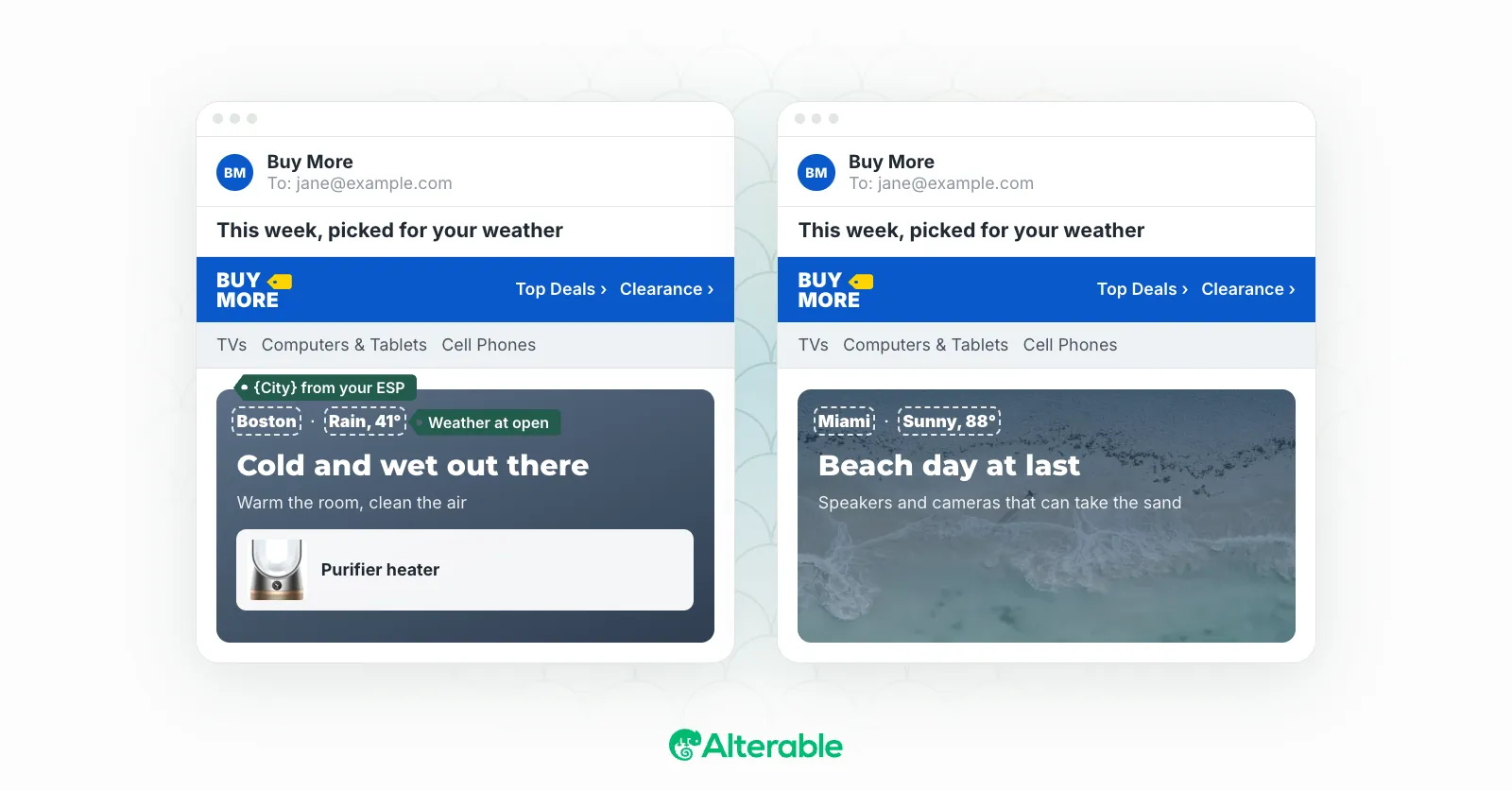
This one gets overlooked. Teams put effort into writing weather-aware copy and then use the same hero image for every subscriber: a beach scene in the middle of winter, or a cozy fireplace in July, depending on when the creative was built.
Imagery has emotional weight. A rainy-day subscriber who opens an email full of sun-drenched lifestyle photography is going to feel a subtle disconnect, even if they can’t quite articulate it. They won’t bounce immediately. But the subconscious cue doesn’t match their current reality, and that friction chips away at the email’s impact.
Building weather-responsive image sets doesn’t require a full photo shoot for every condition. A few well-chosen alternates (a warm interior shot for cold or rainy conditions, an outdoor scene for good weather, something transitional for mild days) can cover a lot of ground. Pair those with copy that matches, and the whole email feels coherent in a way that a single static version never can.
Real-Time Rendering: The Key to Making This Work
Here’s the practical challenge with weather-based email personalization: weather changes. An email sent at 9am might be opened at 2pm. The conditions that were accurate at send time might be entirely different by the time the subscriber gets around to their inbox.
This is the problem with locking personalization at send time. If you bake the weather data into the email when it goes out, you’re essentially making a bet on when each subscriber will open it, and you’ll be wrong a meaningful percentage of the time.
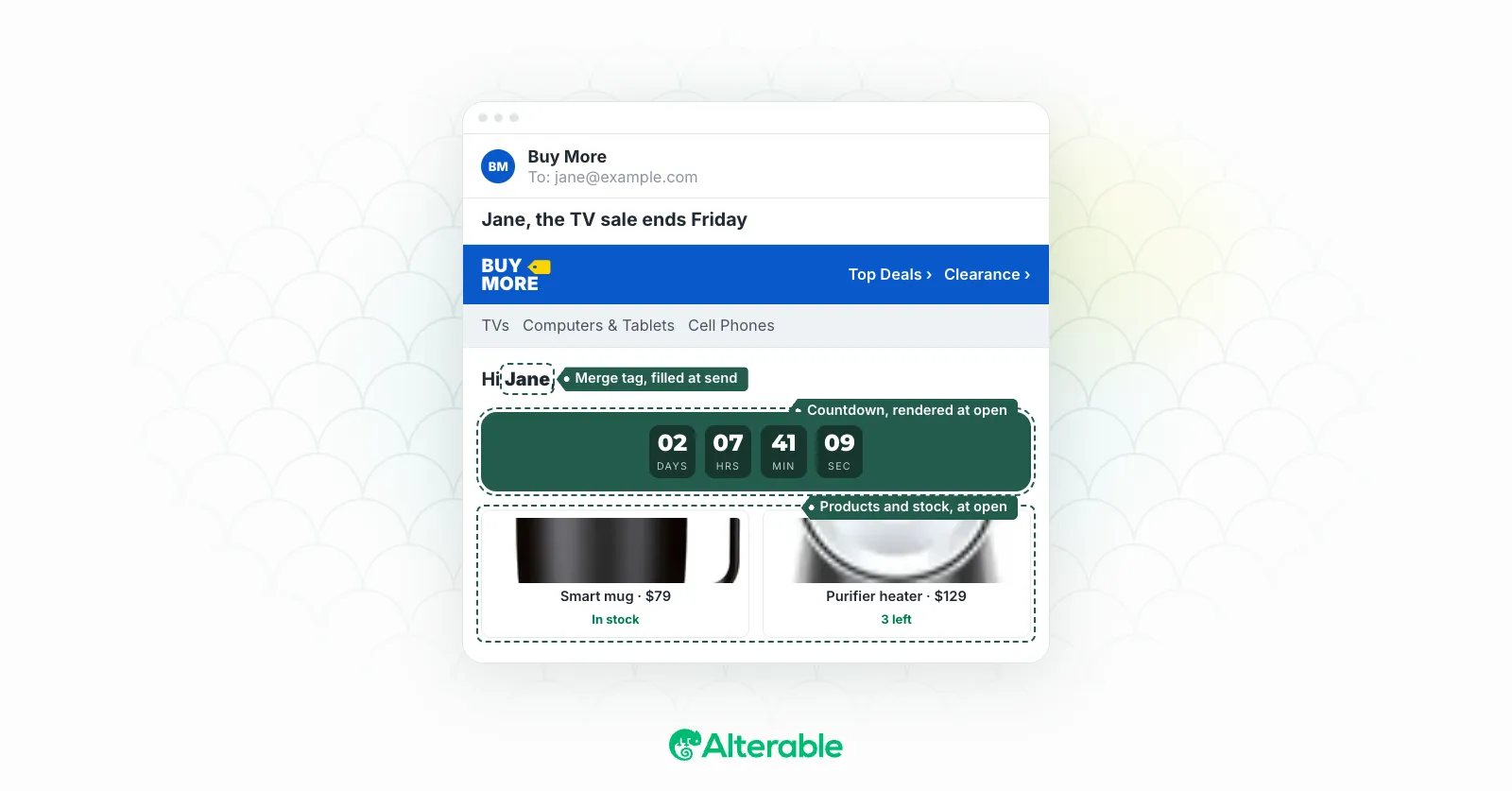
Real-time rendering solves this. Instead of embedding weather data at send, the email fetches current conditions at the moment of open. A subscriber who opens your email during a thunderstorm sees storm-appropriate content. If they come back to it the next day after the weather has cleared, the email updates accordingly. The content is always anchored to now, not to whenever the campaign was deployed.
This is exactly how Alterable approaches weather personalization: live data at open, not static data at send. Which means your weather-aware campaigns stay accurate regardless of when subscribers actually get around to their inbox, and your creative investments pay off every time the email is opened, not just the first time.
A Few Pitfalls to Avoid
Weather personalization is relatively straightforward to get right, but there are a few mistakes worth calling out.
Don’t conflate location with weather. Knowing a subscriber is in “the Southwest” doesn’t tell you much. Los Angeles and Phoenix are both in the Southwest. In January, they’re quite different. Pull actual weather data for actual locations, not regional proxies.
Don’t be weather-deterministic. Just because it’s raining doesn’t mean every subscriber wants to hear about it. Weather should influence your content choices, not override everything else you know about that subscriber. Combine it with behavioral data, purchase history, and lifecycle stage for the best results.
Don’t overuse the novelty. Weather-aware emails feel fresh when they’re done occasionally and purposefully. If every email you send references the weather, it stops feeling personal and starts feeling like a gimmick. Use it when weather genuinely intersects with what you’re selling or communicating.
Make sure your location data is reliable. Weather personalization is only as good as the location signal you’re working with. If you’re using billing address, that may not reflect where someone currently is. If you’re using IP-based geolocation, it has its own accuracy limitations. Understand what you’re working with and set expectations accordingly.
Where to Start
If you haven’t experimented with weather-based email personalization yet, the lowest-friction entry point is subject lines. Pick a campaign that’s going to a reasonably large list with geographic distribution. Build two or three subject line variants that map to different weather conditions. Segment by the current forecast in each subscriber’s location, deploy the appropriate variant, and measure.
You’ll have data within a week. My guess is you’ll be convinced by the end of the first test.
From there, the natural progression is dynamic content blocks: product recommendations, imagery, and offer copy that adapts to local conditions. And once you’re ready to remove the static-at-send constraint entirely, real-time rendering is what makes weather personalization fully scalable.
The ceiling on this approach is higher than most teams expect. Weather data email personalization isn’t a seasonal tactic or a novelty feature. It’s a systematic way to make every email feel like it was written for the subscriber’s current moment. That kind of relevance compounds over time: in engagement rates, in purchase behavior, and in the general sense subscribers develop that your brand actually pays attention to them.
That’s worth pursuing.