

Mother’s Day falls in the same category as Valentine’s Day and Father’s Day: occasions where email volume spikes, inboxes get flooded, and the gap between a genuinely useful email and a forgettable one becomes very obvious very quickly.
I’ve noticed that most Mother’s Day campaigns do the bare minimum: a discount, a gift guide, a countdown timer. The brands that stand out are the ones that use the occasion to show they actually know their subscribers. That’s what email personalization is for, and Mother’s Day is one of the better testing grounds for it.
Here are seven email personalization examples worth learning from.
Start with the Subject Line, But Think Beyond the First Name
The subject line is the first decision point. Personalization here doesn’t have to mean inserting a subscriber’s name. It means making the line feel relevant to the specific person receiving it.
If you know the subscriber is a mother (because they’ve told you, or because your data suggests it), you can lean into that directly:
- “Happy Mother’s Day, [First Name]! Here’s a special gift for you”
- “You deserve the best, [First Name]. Treat yourself this Mother’s Day”
- “Make Mom’s day with these personalized gift ideas, [First Name]”
- “A Mother’s Day gift that will make [First Name] smile”
If you’re not sure whether your subscriber is a mother, don’t guess. These brands played it well:
- ”💐 Your Mother’s Day offer is here” (Peloton)
- “Exclusive offers to make Mother’s Day extra special” (Apple Pay)
- ”🌷 Mother’s Day Sale: Save up to $800” (Tempo)
- “Give the gift of travel this Mother’s Day” (Away)
- “The Mother’s Day Gift Guide” (Allbirds)
- “Brand new Mother’s Day blooms are here 💐” (Bouqs)
Notice what these have in common: they don’t assume the reader is a mother. They position the email as useful for anyone who wants to shop for Mother’s Day, which keeps the relevant audience as wide as possible.
Segment Before You Send
If you send the same Mother’s Day email to your entire list, you’re leaving relevance on the table.
The most obvious segment to build: subscribers who have purchased Mother’s Day gifts from you before. They’ve already told you, through their behavior, that this occasion matters to them. An email that acknowledges their purchase history (“You made her happy last year. Here’s what’s new.”) is a very different experience from a generic gift guide.
Other segments worth considering: subscribers who have purchased in the relevant category (flowers, beauty, jewelry, experiences), and customers who have redeemed gifts themselves, which is a reasonable signal that they’re likely mothers.
Use Dynamic Images to Make the Email Feel Personal
This is the area where I’ve seen the most missed opportunities in Mother’s Day campaigns.
YETI is a good example. They ran a Mother’s Day campaign featuring a product with a gift tag. It’s a smart visual, designed to evoke the feeling of giving. But the tag reads generic text. A quick personalization pass could have replaced it with “From [First Name],” making the product feel already addressed to someone specific. That’s the kind of detail that stops a scroll.
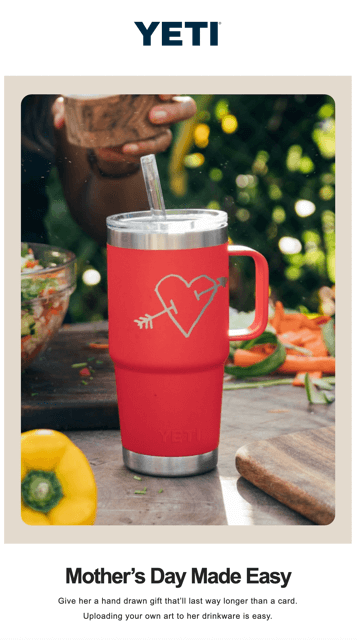
Personalization tokens (also called merge tags) let you pull subscriber data directly into your visual assets. That means images that include the recipient’s name, their city, their loyalty tier, or any other attribute you hold in your list. The setup takes more effort than a standard campaign, but the result feels fundamentally different to the person on the other end. That difference is what gets your email talked about rather than deleted.
Personalize Your Gift Recommendations
If you sell multiple products, don’t show the same gift guide to everyone.
A subscriber who has previously bought luxury items doesn’t need to see your entry-level range. Someone who has been buying athletic gear should see athletic gifts first. A brand-new subscriber with no purchase history needs your bestsellers with clear gifting context.
Kylie Cosmetics handles this well in their Mother’s Day campaigns, surfacing suggestions that match the subscriber’s known category preferences rather than just dropping in their full product catalog. The emails feel curated because they are.
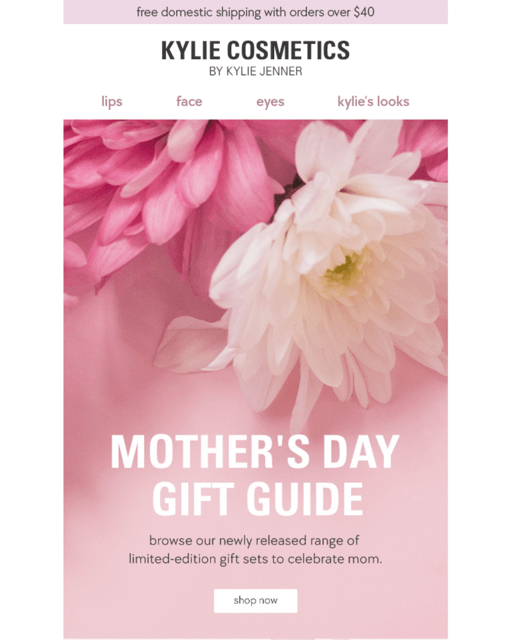
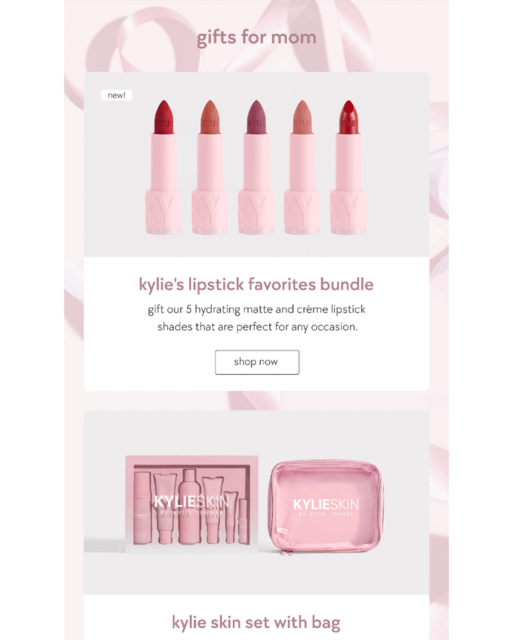
Dynamic product blocks are the tool here. They pull in recommendations at send time based on whatever logic you define, and with real-time personalization, they can update at open time to reflect current inventory or pricing.
Build in a Countdown Timer
This one is simple and it works. A deadline does something to a reader’s psychology that a static discount code alone doesn’t.
Fashion Nova and Threads 4 Thought both use countdown timers in their Mother’s Day campaigns. The logic is sound: if someone is on the fence, seeing a timer counting down to the last day of free shipping or the end of a promotion is often what moves them to act.
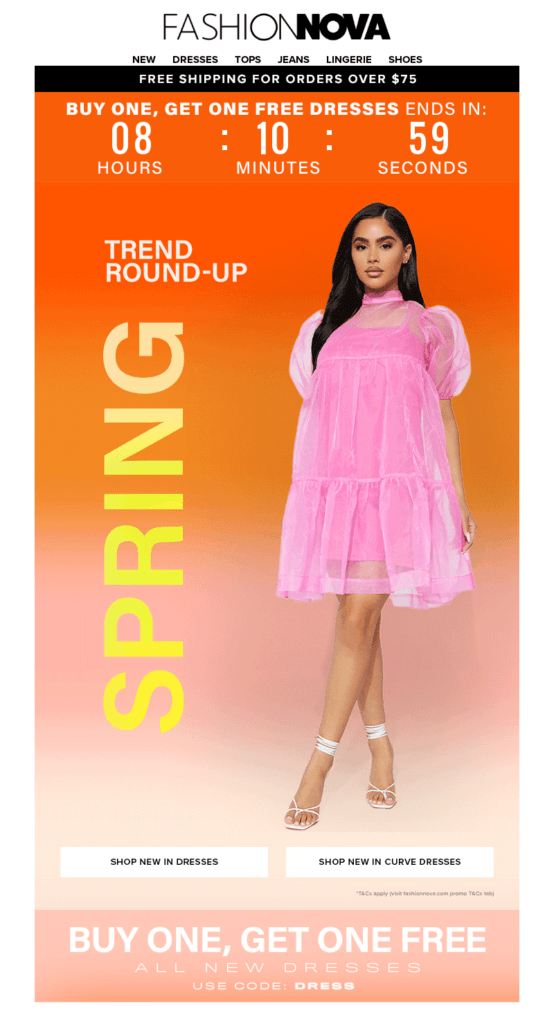
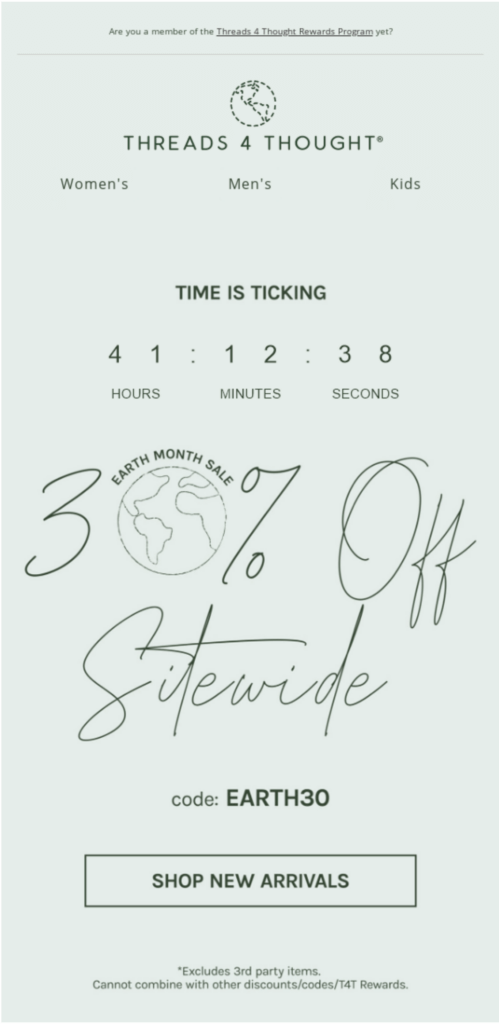
The key is making the timer real. A fake countdown that resets every time someone opens the email is a fast way to lose trust with subscribers who notice. And some will notice.
Give Subscribers an Opt-Out
This is the section most brands skip, and it’s worth taking seriously.
Not everyone on your list has a straightforward relationship with Mother’s Day. Have you thought about what it’s like to receive a week of Mother’s Day promotions when you’ve recently lost your mother, or when you’re struggling with infertility, or when that relationship is painful for reasons your ESP couldn’t possibly know? Sending those emails without offering a way out isn’t just tone-deaf. It can cost you subscribers and, more importantly, trust that’s hard to rebuild.
Several brands handle this thoughtfully:
Peloton adds a banner to their Mother’s Day emails giving subscribers a clear one-click option to pause Mother’s Day communications until after the holiday. Stitch Fix and Coach Outlet both go a step further, sending a dedicated email earlier in the season, before the promotional push begins, that simply asks subscribers if they’d like to opt out. No explanation required.
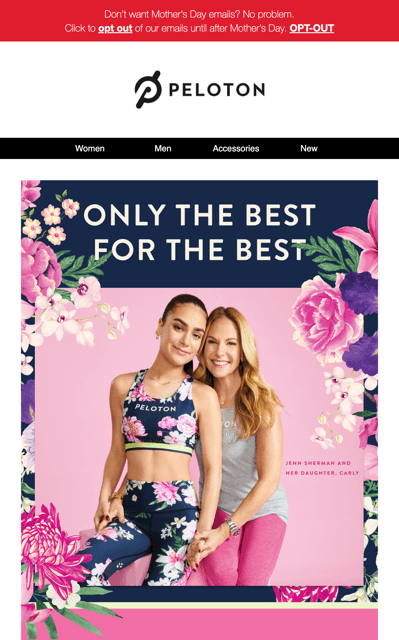
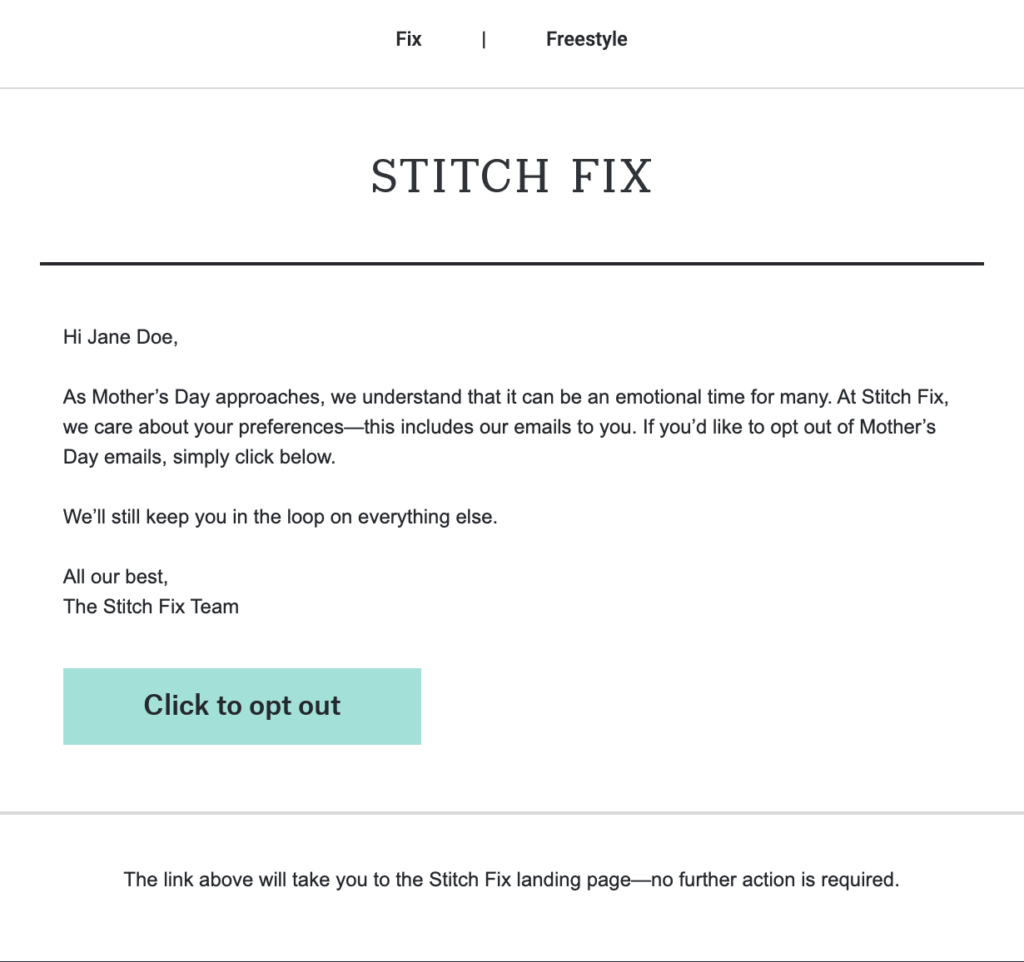
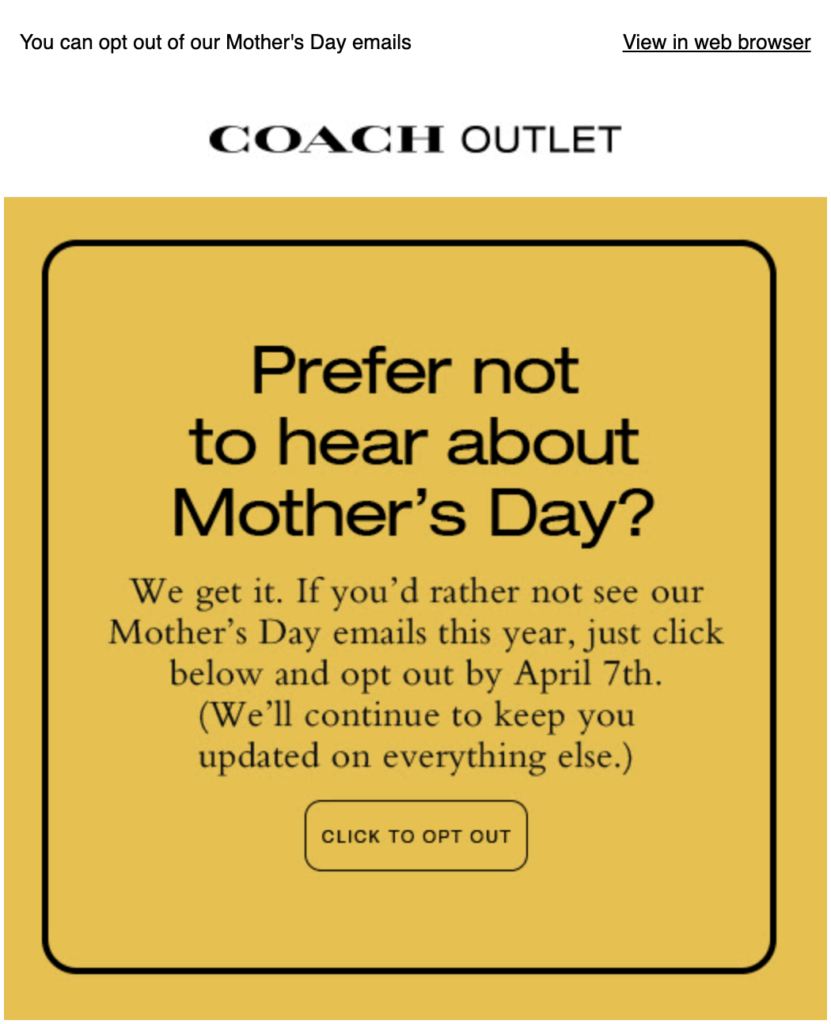
The opt-out email is one of the more quietly human things a brand can do. It’s a small gesture that signals you’re thinking about more than your conversion rate.
Follow Up After the Holiday
Once Mother’s Day has passed, a brief follow-up to buyers is worth sending.
A short thank-you with a request for feedback (“How did she like it?”) closes the loop, surfaces useful data, and keeps the relationship warm heading into the rest of the year. If your product category supports it, it’s also a natural moment to ask for a review.
The through-line across all of these email personalization examples is the same: Mother’s Day is a crowded window, and the brands that stand out are the ones treating it as a chance to show they know their subscribers. The ones that don’t just look like everyone else.


